How to Watch Live Sports on Roku Free in the UK in 2026
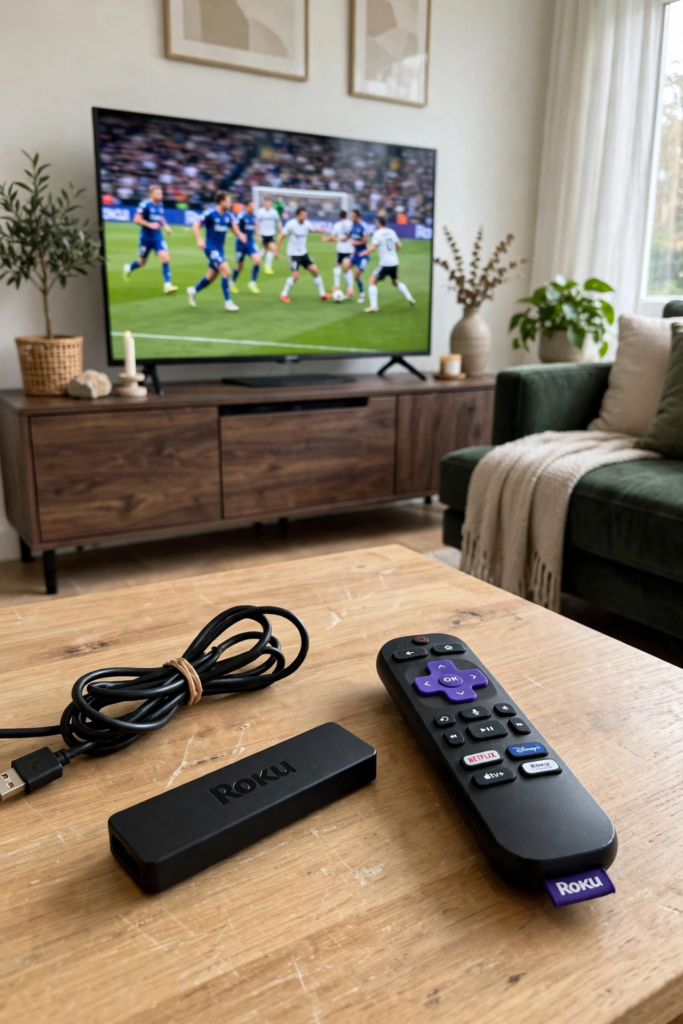
If you want to know how to watch live sports on roku free in the uk, the good news is that a Roku device is one of the best ways to do it. Roku streaming sticks and boxes give you access to BBC iPlayer, ITVX, Channel 4, Freely, Pluto TV and a growing list of free sports channels, all on your television, all legal, and all free beyond the TV licence you already need for live television. This guide explains exactly how to set up your Roku for free live sport, which channels and apps to install, how to find the matches you want to watch, and how to get the best picture quality without paying for a single subscription.
Roku has become one of the most popular streaming devices in the UK for a simple reason: it is cheap, easy to use, and it brings all of your streaming apps together in one place. A Roku Express costs less than a month of most sports subscriptions, it plugs into any television with an HDMI port, and it takes about ten minutes to set up. Once it is running, your television becomes a smart TV with access to every major UK streaming service, and that includes a surprising amount of live sport that costs nothing at all.
The key point to understand before we start is the difference between free and paid sport on Roku. The free options — BBC iPlayer, ITVX, Channel 4, Freely and the free ad-supported channels — cover a large amount of live sport, including FA Cup matches, England internationals, the Women’s Super League, Six Nations rugby, Wimbledon and the Olympics. The paid options — Sky Sports, TNT Sports, Premier Sports and DAZN — cover the matches the free services do not, and they are available as apps on Roku too. This guide focuses on the free options, because that is what most people ask about, but it also explains how the paid apps fit in, so you can make an informed choice about whether you need one.
What Is Roku and How Does It Work?
Roku is a streaming device made by the American company Roku Inc, and it comes in several forms: the Roku Express and Roku Streaming Stick, which plug into your television’s HDMI port, and Roku TVs, which have the Roku system built in. All of them run the same software, called Roku OS, and all of them give you access to the Roku Channel Store, where you can download apps — Roku calls them channels — for the streaming services you want to use. The interface is deliberately simple: a grid of apps on your home screen, a remote control with a few buttons, and a search function that looks across all of your apps at once.
Setting up a Roku takes about ten minutes. You plug the device into an HDMI port, connect it to your Wi-Fi network, sign in with a free Roku account, and then add the channels you want from the Channel Store. There is no monthly fee for the Roku system itself — you only pay for the subscriptions you choose, and the free channels cost nothing. Your Roku account is free, and you do not need to enter any payment details to use the free channels, although Roku will ask you for a payment method if you want to buy a paid channel through its store. You can skip that step and add paid services separately if you prefer.
For UK viewers, the Roku Channel Store includes all of the major British streaming services: BBC iPlayer, ITVX, Channel 4, My5, UKTV Play, STV Player, Freely, Pluto TV, Samsung TV Plus is not available on Roku, but there are plenty of alternatives. It also includes the paid sports services — Sky Sports through NOW, TNT Sports, Premier Sports and DAZN — and a range of free sports channels that carry live events, highlights and documentaries. The official Roku website at roku.com lists the channels available in the UK and the devices they work on, and it is worth checking before you buy, to make sure the channels you want are supported on the model you choose.
How to Watch Live Sports on Roku Free in the UK: The Quick Setup
Here is the quick version for anyone who wants to get watching as fast as possible. First, plug your Roku into your television and connect it to Wi-Fi, then sign in with your free Roku account. Second, open the Channel Store and add BBC iPlayer, ITVX, Channel 4 and Freely — these four free channels cover the bulk of free live sport in the UK. Third, open each app, sign in where required (BBC iPlayer needs a free BBC account, ITVX needs a free ITV account), and check that live television works. Fourth, add Pluto TV and the free sports channels listed later in this guide for extra live sport between matches. That is all it takes, and the whole process should take less than half an hour.
One thing to remember: watching live television in the UK requires a TV licence, and that applies to live streams on Roku just as it does to a traditional television. If you watch live television on BBC iPlayer, ITVX, Channel 4 or any other live channel through your Roku, you need a TV licence. Watching on-demand programmes that are not live is a different matter, but for live sport the licence is required. The official TV Licensing website has the full details, and it is worth checking if you are unsure about your position.
It is also worth knowing that a Roku is not the only way to watch free sport on your television, and it is not always the cheapest. Many new smart TVs have Freely built in, which gives you the live channels of the public service broadcasters without any extra device at all. If you already have a smart TV, check whether it has BBC iPlayer, ITVX and Freely built in before you buy a Roku. But if your television is older, or if you want a single simple interface for all of your streaming apps, a Roku is an excellent and inexpensive upgrade, and it is considerably simpler than a Firestick for many users. Our guide to setting up a Firestick for live sport in the UK covers the alternative if you already own one of Amazon’s devices.
How to Watch Live Sports on Roku Free in the UK: Free Channels
The free channels below are the core of free live sport on Roku in the UK. Install all of the ones that are relevant to you, because different broadcasters show different matches, and having them all ready means you will never miss a game because you were still downloading an app five minutes before kick-off. All of these channels are available in the UK Roku Channel Store, all of them are free to download, and all of them are legal services run by licensed broadcasters.
BBC iPlayer on Roku
BBC iPlayer is the single most important free channel for sports fans on Roku. It carries live FA Cup matches, Women’s Super League games, Six Nations rugby, Wimbledon, the Olympics and Paralympics, and a wide range of other live events, plus highlights programmes such as Match of the Day and Football Focus. The app works well on Roku, with a clear interface and reliable high-definition streams, and it is free to download from the Channel Store. You will need a free BBC account to sign in, and a TV licence to watch live television.
To get the most from BBC iPlayer on Roku, use the live section of the app to see what is on now and what is coming up, and use the sport section to find highlights and replays after a match has finished. The app also lets you resume programmes where you left off and download some content for offline viewing on other devices, although downloads are not available on Roku itself. For UK-focused stories and fixtures, the BBC Sport website at bbc.com/sport is an excellent free companion to the app.
ITVX on Roku
ITVX is ITV’s free streaming service, and on Roku it carries live football including selected England internationals, FA Cup matches and EFL highlights, plus live coverage of other sports such as the Tour de France and horse racing. The app is free to download, works well on Roku, and requires a free ITV account to sign in. It is ad-supported, so you will see adverts during breaks in live programmes, but the live sport itself is free and the streams are reliable.
ITVX also carries a large library of on-demand drama, entertainment and documentaries, which makes it a useful app beyond sport. For football fans, the key feature is the live section, which shows what is on now and what is scheduled. Check the ITV schedule on the official ITV website at itv.com before a match, so you know whether it is on ITVX or on another service, and add the matches you want to watch to your watchlist in the app.
Channel 4 on Roku
Channel 4’s streaming app, available free on Roku, carries live sport including Formula 1 highlights, selected football, and major events such as the Paralympics. It also shows live coverage of other sports throughout the year, and its on-demand library includes sports documentaries and highlights programmes. The app is free to download and requires a free Channel 4 account. Like ITVX, it is ad-supported, but the sport is free and legal.
Channel 4 is particularly useful for Formula 1 fans, because it shows free highlights of every Grand Prix, and for fans of the Paralympics and other major events that Channel 4 covers. It is not a comprehensive live sports service, but it is a valuable part of the free line-up, and it costs nothing to have it installed and ready.
Freely on Roku
Freely is the free streaming service from the BBC and ITV, and it is available on Roku as a channel that brings live television and on-demand content together. It gives you access to the live channels of the public service broadcasters, including their sports coverage, without an aerial or a satellite dish — just a broadband connection and your Roku. If your television does not have Freely built in, the Roku channel is the easiest way to get it.
Freely is particularly useful because it presents live television in the familiar form of a channel guide, so you can browse what is on now across all the free channels, rather than opening each broadcaster’s app separately. For sports fans, that makes it easy to spot a live match on any channel without checking each app in turn. It is free, it requires no account beyond your Roku account, and it is a legitimate service run by the broadcasters themselves.
STV Player on Roku
STV Player is the free streaming service for viewers in Scotland, and it is available on Roku. It carries live sport shown on STV, including Scottish football and selected live matches, and it is free to use with a TV licence. If you live in Scotland, install it alongside ITVX, because STV’s schedule sometimes includes matches and events that are not on ITV in England and Wales. For viewers elsewhere in the UK, it is less relevant, but it is still free and worth knowing about.
Pluto TV on Roku
Pluto TV is a free, ad-supported streaming service with live channels including sports channels, and it works well on Roku. It costs nothing, requires no subscription, and carries a mix of live events, highlights, documentaries and classic matches. While it does not carry live Premier League football, it is a useful free extra for sports fans who want more to watch between matches, and it is a legitimate service with no security risks.
YouTube on Roku
YouTube is available free on Roku, and it is an underrated option for live sport. Official league and competition channels stream matches and highlights legally, including free live streams from leagues around the world, and the platform’s archive means full matches and highlights remain available long after the live broadcast ends. Many clubs also stream pre-season friendlies, youth matches and women’s matches free on their official YouTube channels, and the app on Roku makes it easy to watch them on the big screen.
To use YouTube for sport on Roku, search for the official channel of the league or competition you follow, subscribe to it, and check its live and upcoming sections for scheduled streams. The official channels are the ones to trust: look for the verified tick and for the league or club’s name in the channel title. Unofficial uploads of full matches are often removed quickly and are not a reliable way to watch, so stick to the official channels and you will always find something worth watching.
Paid Sports Apps on Roku
The free channels above cover a large amount of live sport, but they do not cover everything, and that is where the paid apps come in. All of the major paid sports services in the UK have Roku apps, and they are easy to add from the Channel Store. You subscribe directly with the service, sign in to the app on your Roku, and watch. There is no need to buy anything through Roku itself, and you can cancel a subscription at any time through the service’s own website.
Sky Sports is available on Roku through NOW, which offers day and month passes as well as full memberships, and it carries the largest number of live Premier League matches each season, plus EFL football, Formula 1, cricket, golf and darts. TNT Sports has its own Roku app and carries Premier League and Champions League matches, plus rugby, UFC and MotoGP. Premier Sports carries selected football and rugby, and DAZN carries boxing and women’s football. Check the official page for each service before subscribing, because rights deals change between seasons and the exact package you need depends on the sport you follow.
The practical approach for most fans is to use the free channels as the foundation and add one paid pass only for the matches that matter most. A day pass for a single big match, or a month pass for a month with a run of important fixtures, costs far less than a full subscription, and it gives you a reliable high-definition stream with no security risk. If you want the full picture of what is available free, our guide to watching the Premier League free in the UK legally explains which matches are free and which services carry the rest.
Step-by-Step: Setting Up Roku for Free Live Sport
Follow these steps and your Roku will be ready for free live sport in under half an hour. First, connect your Roku to your television and to your Wi-Fi network, and sign in with your free Roku account. If you are setting up a new device, the on-screen instructions will walk you through this, and it should take about ten minutes. Make sure your Roku’s software is up to date by going to Settings, then System, then Software update, and installing any update that is available.
Second, open the Channel Store from the Roku home screen and add BBC iPlayer, ITVX, Channel 4, Freely and Pluto TV. You can search for each one by name, or browse the free channels section. Adding a channel takes a few seconds, and the channel will appear on your home screen. Move the sports channels to the top of your home screen so they are easy to find: highlight a channel, press the star button on your remote, and choose Move channel.
Third, open each app and sign in where required. BBC iPlayer needs a free BBC account, ITVX needs a free ITV account, and Channel 4 needs a free Channel 4 account. Creating these accounts takes a few minutes each, and you only need to do it once — your Roku will remember you. While you are in each app, check the live section to confirm that live television works, and look at the schedule for the coming week so you know which matches are on which channel.
Fourth, add YouTube and the free sports channels, and subscribe to the official channels of the leagues and clubs you follow. Fifth, test everything before the match you want to watch. Open a live stream on BBC iPlayer or ITVX, check the picture quality, and make sure the sound works. It is much better to discover a problem on a quiet afternoon than five minutes before kick-off.
Getting the Best Picture Quality on Roku
Picture quality on Roku depends on three things: your internet connection, your Roku model, and the settings in each app. For smooth high-definition streaming, you need a broadband connection of at least 5 Mbps for HD and 25 Mbps for 4K, and a stable Wi-Fi signal. If your Roku is far from your router, consider moving the router closer, using a wired connection if your model supports it, or adding a Wi-Fi extender. A weak Wi-Fi signal is the most common cause of buffering on Roku, and it is usually easy to fix.
Check your Roku’s display settings as well. Go to Settings, then Display type, and make sure your Roku is set to the highest resolution your television supports. Most Roku models will detect this automatically, but it is worth confirming, especially if you have a 4K television. In each streaming app, check the quality settings too: BBC iPlayer and ITVX will usually choose the best quality automatically, but if you are on a slow connection, you can lower the quality manually to stop the stream buffering.
Finally, keep your Roku’s software up to date. Roku releases updates regularly, and they often include performance improvements and fixes for the streaming apps. Your Roku will usually update itself overnight, but you can check manually in Settings, then System, then Software update. If an app is misbehaving, removing it and adding it again from the Channel Store will often fix the problem, and it only takes a minute.
How to Watch Live Sports on Roku Free in the UK All Year Round
Free live sport on Roku is not limited to one season or one competition. Across the year, the free channels carry a wide range of live events. In the autumn and winter, there is FA Cup football, Women’s Super League matches, Six Nations rugby, and the early rounds of the football season. In the spring, there is the business end of the FA Cup, the Six Nations, and the start of the cricket and tennis seasons. In the summer, there is Wimbledon, the Olympics when they fall in a summer year, international football tournaments, and the cricket season in full.
Between the big events, the free channels carry highlights, documentaries and classic matches, and YouTube and Pluto TV fill the gaps with live streams from leagues around the world. The practical point is that there is almost always something worth watching for free on Roku, and the schedule is easy to check: the BBC Sport website, the ITV sport pages and the TV listings in your newspaper or TV guide will all tell you what is on and where. Make a habit of checking the schedule at the start of the week, and you will never be caught out.
For fans who follow a particular sport closely, it is worth learning which broadcaster holds the rights for that sport in the UK. Football is split between the BBC, ITV, Sky Sports, TNT Sports and others, rugby is split between the BBC, ITV and TNT Sports, and Formula 1 highlights are on Channel 4 with live coverage on Sky Sports. Knowing who shows what saves you from searching for a match on the wrong service, and it helps you decide whether a paid pass is worth buying for a particular event. Our guide to the best free sports streaming apps for 2026 covers the free options across all devices, not just Roku, and it is a useful companion to this guide.
Practical Tips for Watching Sport on Roku
Use the Roku search function. From the home screen, you can search for a team, a competition or a programme, and Roku will show you which of your installed apps carry it, and whether it is free or paid. This is much faster than opening each app in turn, and it is the quickest way to find out where a particular match is being shown. You can also use voice search on Roku remotes that support it, which is even faster.
Set up the Roku mobile app on your phone. The free Roku app for iOS and Android turns your phone into a remote control, lets you type searches with a keyboard instead of the on-screen keyboard, and lets you listen to your Roku through headphones connected to your phone. That last feature is genuinely useful if you want to watch a late match without disturbing the rest of the household.
Be careful with unofficial channels. Roku allows developers to add private channels using a code, and some of these offer unofficial streams of live sport. Do not install them. They are not in the official Channel Store, they do not own the rights to what they show, and they carry the same security and legal risks as any unofficial streaming site. Stick to the channels in the official Channel Store, and you will be watching legally and safely. Our guide to whether IPTV is legal in the UK explains the legal position in detail.
Finally, if a match is not available free on any of your channels, consider the legal alternatives before you look elsewhere. A day pass from NOW for Sky Sports, a month of TNT Sports, or the radio commentary and live text updates will all keep you in touch with the match, and they are all legal and safe. If a Saturday 3pm kick-off is not shown live anywhere, our guide to watching 3pm kick-offs legally in the UK sets out the legitimate options, including radio commentary and highlights.
Key Takeaways
- A Roku device gives you access to BBC iPlayer, ITVX, Channel 4, Freely, Pluto TV and YouTube, all free and legal in the UK.
- Setup takes about ten minutes: connect to Wi-Fi, sign in with a free Roku account, and add the free channels from the Channel Store.
- BBC iPlayer and ITVX carry the bulk of free live sport, including FA Cup matches, England internationals, the Women’s Super League and the Six Nations.
- Watching live television in the UK requires a TV licence, including live streams watched through Roku.
- Paid sports apps such as NOW for Sky Sports, TNT Sports, Premier Sports and DAZN are available on Roku for the matches the free channels do not carry.
- Use Roku’s universal search to find which app shows the match you want, and check the schedule at the start of each week.
- Only install channels from the official Roku Channel Store — unofficial private channels carry the same risks as unofficial streaming sites.
Frequently Asked Questions
How can I watch live sports on Roku free in the UK?
Install the free channels from the Roku Channel Store: BBC iPlayer, ITVX, Channel 4, Freely, STV Player if you are in Scotland, Pluto TV and YouTube. These carry live FA Cup matches, England internationals, Women’s Super League games, Six Nations rugby, Wimbledon and many other live events, all free and legal. You need a TV licence to watch live television in the UK.
Is BBC iPlayer free on Roku?
Yes. BBC iPlayer is free to download from the Roku Channel Store and free to use, although you need a TV licence to watch live television and a free BBC account to sign in. It carries live sport, highlights such as Match of the Day, and a large on-demand library, all in high definition on Roku.
Can I watch the Premier League free on Roku?
Some Premier League content is available free on Roku, including highlights on BBC iPlayer and occasional live matches on free-to-air broadcasters, but most live matches require a paid service such as Sky Sports through NOW or TNT Sports, both of which have Roku apps. Flexible day and month passes are available if you only want to watch particular matches.
Do I need a TV licence to watch live sport on Roku?
Yes, if you are watching live television. A TV licence is required to watch or record live television in the UK, and that includes live streams watched through apps on a Roku. Watching on-demand programmes that are not live does not require a licence, but live sport always does.
Which Roku should I buy for watching sport in the UK?
Any current Roku model will run the free sports channels well. The Roku Express is the cheapest option and is fine for HD televisions, while the Roku Streaming Stick 4K is the better choice if you have a 4K television. Check the official Roku website for the current models and prices before you buy, because the range changes from time to time.
Why is my Roku stream buffering during live sport?
Buffering is usually caused by a slow or unstable internet connection. Check your broadband speed, move your Roku closer to your router or use a wired connection if possible, and close other apps that are using bandwidth. Lowering the stream quality in the app settings can also help. If the problem persists, restart your Roku and your router, and check for a software update.
Can I watch ITVX and Channel 4 on Roku?
Yes. Both ITVX and Channel 4 have free apps in the UK Roku Channel Store. ITVX carries live England internationals, FA Cup matches and EFL highlights, while Channel 4 carries Formula 1 highlights, selected football and major events. Both require a free account to sign in, and both are ad-supported.
Are there free sports channels on Roku besides BBC iPlayer and ITVX?
Yes. Freely brings together the live channels of the public service broadcasters, Pluto TV offers free live sports channels, and YouTube carries free live streams and highlights from official league and club channels. Together with BBC iPlayer, ITVX and Channel 4, these give you a wide range of free legal sport on Roku.
Conclusion
Learning how to watch live sports on roku free in the uk is straightforward, and a Roku device makes it easier than almost any other way of watching. Install BBC iPlayer, ITVX, Channel 4, Freely and Pluto TV from the Channel Store, sign in with your free accounts, and you will have live FA Cup matches, England internationals, Women’s Super League games, Six Nations rugby, Wimbledon and much more, all free, legal and in high definition on your television. Add YouTube for official league streams and highlights, and you will rarely be short of something to watch.
For the matches that are not available free, the paid apps on Roku — NOW for Sky Sports, TNT Sports, Premier Sports and DAZN — offer flexible passes that cost less than a takeaway, and they give you a reliable, high-quality, legal stream. Set up your Roku once, bookmark the free channels, check the schedule at the start of the week, and you will have everything you need to watch live sport in the UK in 2026 without paying for a subscription you do not need.