Best Firestick Apps for Live Sports in 2026
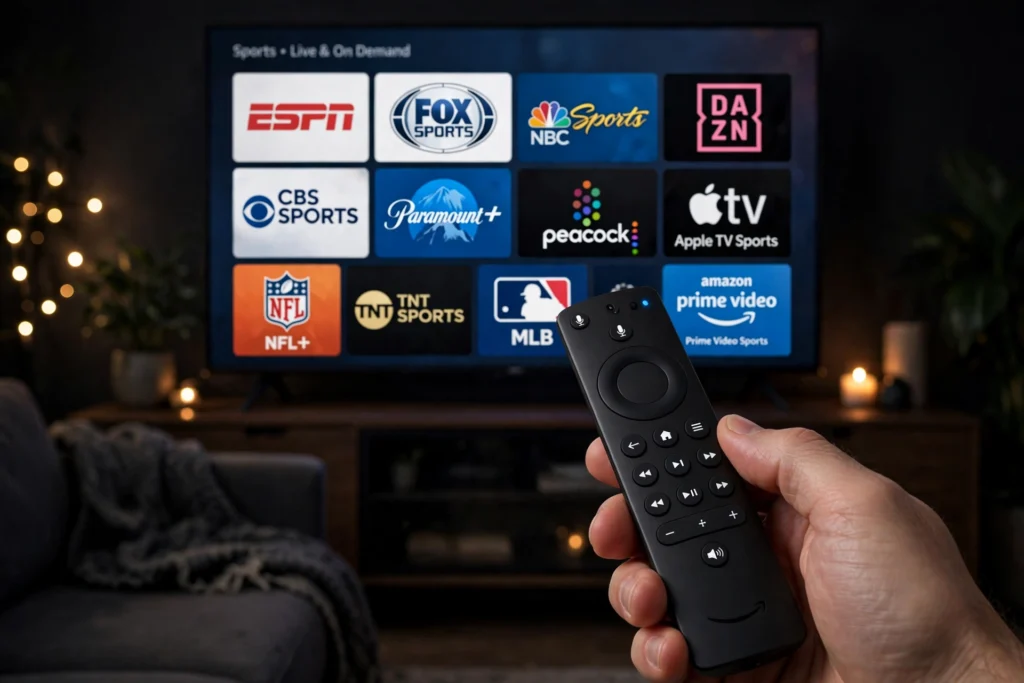
Your Amazon Firestick can be the best free sports device in your home, or a frustrating one that buffers at kick-off. The difference is which apps you install. The best Firestick apps for live sports 2026 are not the unofficial apps you find in random guides — they are the official, legal apps from the BBC, ITV, Channel 4, DAZN, TNT Sports, Sky and YouTube, all available in the Amazon Appstore. This guide ranks the eight apps that matter most for UK viewers, with a short Pros and Cons table for each one, setup tips, and the safety and legality rules you need to know before you install anything else.
Every app below is available on Firestick in the UK, every app is legal to install, and every app is covered in plain English. Free apps come first, because most UK viewers can watch a large amount of live sport without paying. Paid apps follow, for the sport that is not available free. By the end of this guide, you will know exactly which three or four apps to install first, how to set them up in under ten minutes, and how to avoid the unofficial apps that put your Firestick, your data and your money at risk.
How to Choose the Best Firestick Apps for Live Sports 2026
Related: Free-to-Air Sports Channels and Apps in the UK 2026: The Ultimate Guide
Before you install anything, think about the sport you actually watch. A football fan needs BBC iPlayer and ITVX for the FA Cup and England matches, plus a paid app for the Premier League. A Formula 1 fan needs Channel 4 for highlights and the British Grand Prix, plus Sky Sports or NOW for live races. A darts or snooker fan can get most of what they need free on the BBC and ITV. A boxing or UFC fan will need DAZN or TNT Sports. There is no single app that covers everything, and anyone who tells you otherwise is selling you something unofficial.
Three rules will help you choose well. First, only install apps from the Amazon Appstore. That is the official store on your Firestick, and every app in it has been checked by Amazon. Second, check the rights before a big match. The same match can be on the BBC one week and on a paid service the next, and the only reliable way to know is to check the broadcaster’s schedule. Third, sign in before match day. Most apps ask you to enter a code on a phone or laptop, and doing that five minutes before kick-off is a recipe for missing the start. For a full device setup walkthrough, read how to set up Firestick for live sports in the UK in 2026, and if you also use a Roku, see how to watch live sports on Roku free in the UK in 2026.
1. BBC iPlayer — Best Firestick App for Free Live Sport
BBC iPlayer is the first app to install on any UK Firestick, and it is the best free app for live sport overall. It carries live BBC One, BBC Two and BBC Three, plus extra live streams on the BBC Sport section, and a large library of highlights and replays. In 2026 it shows live FA Cup football, the Six Nations, Wimbledon, the Olympics, the World Snooker Championship, the UK Championship, the Masters, darts highlights, the London Marathon and much more. It is free, but you need a TV licence to watch live television or any BBC iPlayer content, and you need a free BBC account to sign in.
On Firestick, BBC iPlayer is fast, stable and easy to use. Search for it in the Appstore, download it, open it, and sign in with the code shown on screen. Your watchlist follows you across devices, and you can start a match on your phone and finish it on your television. The app also carries BBC Radio 5 Live, which is useful when you want live commentary without a picture.
| Pros | Cons |
|---|---|
| Free, legal and reliable | Needs a TV licence for live TV and iPlayer |
| Widest free live sport in the UK | No live Premier League or Champions League |
| Excellent highlights and catch-up | Some events are highlights only |
| Works well on Firestick | Requires a free BBC account |
2. ITVX — Best Firestick App for Free Football and Rugby
ITVX is ITV’s free streaming app, and it is the second app every UK sports fan needs on Firestick. It is free with adverts, and it carries live ITV1, ITV2, ITV3, ITV4 and ITVBe, plus exclusive live streams and replays. In 2026 ITV shows live England men’s football, live FA Cup matches, the Carabao Cup, live rugby including the Rugby World Cup and the Six Nations in shared coverage with the BBC, live horse racing from Cheltenham and Royal Ascot, live darts and live snooker. ITV4 is the channel to check for sport that is not on the main ITV1 schedule.
ITVX on Firestick is straightforward to set up. Download it from the Appstore, create a free account, and sign in. You need a TV licence to watch live television on ITVX, but you do not need one to watch on-demand catch-up after the event. The adverts are short, and the app keeps full replays available after live events, so you can catch up on a match you missed.
| Pros | Cons |
|---|---|
| Free with a free account | Adverts during live and on-demand viewing |
| Live England football and FA Cup | No live Premier League football |
| Good rugby and horse racing coverage | Needs a TV licence for live TV |
| Full replays after live events | Some sport is on ITV4, not ITV1 |
3. Channel 4 — Best Firestick App for Formula 1 Highlights
Channel 4 is the free app Formula 1 fans cannot afford to miss. It shows the British Grand Prix live in full, highlights of every other Grand Prix on race day, live Test cricket highlights, live Paralympics coverage and selected live football and rugby. Its Firestick app is free with adverts, and it carries live Channel 4, E4, More4 and Film4, plus catch-up and box sets. You can find it on the Channel 4 website as well as in the Amazon Appstore.
For Formula 1, Channel 4 highlights are comprehensive, free and legal, and they are the best free option for most races. For cricket, Channel 4 highlights of England Test matches are a genuine free alternative to a paid subscription, even if they are not live. Install Channel 4 alongside BBC iPlayer and ITVX, and you will have the three free apps that cover most UK free live sport.
| Pros | Cons |
|---|---|
| Free, with live British Grand Prix | Most F1 races are highlights only |
| Excellent F1 and cricket highlights | Adverts during viewing |
| Live Paralympics coverage | Smaller live sport catalogue than BBC or ITV |
| Easy Firestick setup | Needs a TV licence for live TV |
4. YouTube — Best Firestick App for Highlights and Clips
YouTube is already on most Firesticks, and it is the best app for highlights, interviews and analysis. Official channels from BBC Sport, ITV Sport, Sky Sports, TNT Sports, Formula 1, the Premier League, the EFL, UEFA, World Rugby, World Snooker Tour and the PDC Darts publish free highlights, behind-the-scenes content and, in some cases, live free events. YouTube is free, it needs no account to watch, and it works on every Firestick.
YouTube is best for catching up. If you missed a match, the official highlights are usually on YouTube within hours. It is also good for live free events in lower-league football, women’s sport, youth tournaments and motorsport, which are sometimes streamed live free on official channels. It is not a substitute for live rights — you will not find a legal free live Premier League match on YouTube in the UK — but as a highlights app it is unbeatable.
| Pros | Cons |
|---|---|
| Free, no account needed to watch | No legal live Premier League matches |
| Official highlights within hours | Unofficial streams are scams or illegal |
| Works on every Firestick | Live free events are limited |
| Great interviews and analysis | Adverts on many videos |
5. DAZN — Best Firestick App for Boxing and Women’s Football
DAZN is a paid sports streaming service, but it also offers a free tier in the UK that lets you watch selected live events, highlights and documentaries with a free account. The paid DAZN app on Firestick is best known for boxing, women’s football including the UEFA Women’s Champions League, and selected live football. If you follow boxing, DAZN is the app you will use most, and its Firestick app is stable, well designed and easy to navigate.
Check the DAZN free tier first before you pay. Create a free account, look at the free section, and see what is available that week. If the event you want is not free, a DAZN subscription may be worth it, but do not pay until you have checked what is already free on BBC iPlayer, ITVX and Channel 4. DAZN also offers a monthly subscription with no long contract, which is useful if you only want it for a single fight or tournament.
| Pros | Cons |
|---|---|
| Strong boxing and women’s football | Paid subscription for most live sport |
| Free tier for selected events | Free tier is limited |
| Good Firestick app quality | Monthly cost adds up over a season |
| Monthly plan, no long contract | Not the best app for Premier League |
6. TNT Sports App — Best Firestick App for Champions League and UFC
The TNT Sports app on Firestick is the home of live Champions League football, Europa League football, Premiership Rugby, UFC, WWE and selected live boxing in the UK. It is a paid app, available through Discovery+ or as an add-on to a TV package, and it is the only legal way to watch many of those events live in the UK. The app itself is well made, with live streams, replays, highlights and multi-screen options on larger televisions.
TNT Sports is worth paying for if you watch Champions League football or UFC regularly. If you only watch those sports occasionally, a monthly pass or a day pass through a partner service may be cheaper than a full subscription. Before you pay, check whether the event you want is also on a free service — some Champions League highlights are free on YouTube and on the BBC, even if the live match is not.
| Pros | Cons |
|---|---|
| Live Champions League and UFC | Paid subscription required |
| Good app quality and replays | Price is high for occasional viewers |
| Premiership Rugby and boxing | Needs a Discovery+ or TV package |
| Multi-screen and highlights | Not needed if you only watch free sport |
7. Sky Go and NOW — Best Firestick Apps for Premier League and F1 Live
Sky Go and NOW are the two apps that give Firestick users access to Sky Sports, and together they cover most live Premier League football, most live Formula 1 races, live Test cricket, live golf and live darts in the UK. Sky Go is for existing Sky customers, and it lets you watch Sky Sports on your Firestick as part of your Sky package. NOW is for everyone else, and it lets you buy a Sky Sports day pass or month pass without a contract. You can find both in the Amazon Appstore, and both are official, legal apps.
NOW is the more flexible option for most Firestick users. A day pass is useful for a single big match or race, and a month pass is useful for a busy month of sport. Sky Go is the better option if you already pay for Sky, because it costs nothing extra. Either way, check the free options first, and only pay for the matches that are not available free on the BBC, ITV or Channel 4.
| Pros | Cons |
|---|---|
| Live Premier League and F1 | Paid — day and month passes cost extra |
| Live cricket, golf and darts | NOW passes are not cheap for one match |
| NOW needs no long contract | Sky Go needs an existing Sky package |
| Reliable, high-quality streams | Not needed for free FA Cup or Six Nations |
8. BBC Sounds and TalkSport — Best Firestick Apps for Live Radio Sport
Radio apps are easy to overlook on a Firestick, but they are a useful backup when video streams fail. BBC Sounds carries live BBC Radio 5 Live and 5 Live Sports Extra, with live football, cricket, Formula 1, rugby and tennis commentary, and it is free with a BBC account. TalkSport is free on Firestick, and it carries live football commentary, sports news and talk shows. Both apps work well on a television, and both are useful when you are doing something else while following a match.
Radio is also the most reliable free option when your broadband is struggling. A radio stream needs far less bandwidth than a video stream, so it will keep working when video buffers. Install BBC Sounds and TalkSport as your backup apps, and you will never be left without live sport, even on a bad connection day.
| Pros | Cons |
|---|---|
| Free live commentary | Audio only — no picture |
| Works on weak broadband | Not a substitute for live video |
| BBC Sounds and TalkSport are legal | TalkSport has adverts |
| Good backup when video fails | Commentary may be delayed vs TV |
How to Set Up the Best Firestick Apps for Live Sports 2026
Setting up these apps takes under ten minutes if you do it before match day. On your Firestick, go to the Appstore, search for BBC iPlayer, ITVX, Channel 4, YouTube, DAZN, TNT Sports, NOW and BBC Sounds, and download each one you want. Open each app, sign in with the code shown on screen, and test it by playing a short video or a live channel. Do this for every app, not just one, because a sign-in that fails on match day will cost you the start of the game.
Three practical tips will help. First, connect your Firestick by ethernet if you can, or place it close to your router, because live sport needs a stable connection. Second, keep the apps updated — go to Settings, Applications, and check for updates regularly, because an out-of-date app is a common reason a live stream fails. Third, free up storage by deleting apps you do not use, because a full Firestick runs slowly and can crash during a live stream. The official Amazon Fire TV help pages at amazon.co.uk/fire-tv explain storage, updates and setup in detail, and the BBC iPlayer website explains how to sign in on a television.
Are Firestick Sports Apps Safe and Legal in the UK?
Every app in this guide is safe and legal, because every app is from the Amazon Appstore and from a licensed broadcaster. The risk comes from unofficial apps installed from outside the Appstore, often called sideloaded apps or IPTV apps. Those apps are not checked by Amazon, they are not licensed, and they often serve malware, phishing pages or illegal streams. If an app promises every live match free, asks you to pay by cryptocurrency or bank transfer, or asks you to disable security settings, do not install it.
In the UK, using an illegal IPTV service can lead to legal action, and the operators of those services have been prosecuted. Users are also at risk from malware and scams. The official guidance on is IPTV legal in the UK in 2026 explains the law in detail, and our guide on how to watch Premier League football free in the UK legally in 2026 explains the legal free options for football. Stick to the Appstore, stick to licensed broadcasters, and you will stay safe.
Frequently Asked Questions
What are the best Firestick apps for live sports 2026 in the UK?
The best Firestick apps for live sports 2026 in the UK are BBC iPlayer, ITVX, Channel 4 and YouTube for free live sport and highlights, plus DAZN, TNT Sports, Sky Go and NOW for paid live sport. Install the three free apps first, then add a paid app only for the sport that is not available free.
Can I watch live sport free on Firestick?
Yes, you can watch a large amount of live sport free on Firestick with BBC iPlayer, ITVX and Channel 4. They show live FA Cup football, England internationals, the Six Nations, Wimbledon, darts, snooker, Formula 1 highlights and more. You need a TV licence to watch live television, including live sport on those apps.
Do I need a TV licence to watch sport on Firestick?
Yes, you need a TV licence to watch live television on any device, including a Firestick, and to watch or download any programme on BBC iPlayer. You do not need a licence to watch on-demand catch-up on ITVX or Channel 4 if you are not watching it live, but you do need one for any live broadcast.
Is there a free Firestick app for Premier League football?
There is no free Firestick app that shows live Premier League football legally in the UK, because the live rights are held by paid broadcasters. You can watch free highlights on BBC iPlayer on Match of the Day, free clips on YouTube, and live radio commentary on BBC Sounds. For live matches, you will need Sky Sports, TNT Sports or NOW.
How do I install BBC iPlayer on Firestick?
Go to the Appstore on your Firestick, search for BBC iPlayer, download it, open it, and sign in with the code shown on screen using a phone or laptop. You will need a free BBC account and a TV licence. The same process works for ITVX, Channel 4 and the other apps in this guide.
Why does my Firestick buffer during live sport?
Buffering during live sport is usually caused by a weak Wi-Fi signal, an overloaded network, or a Firestick that is full or out of date. Move closer to your router, use a wired connection if you can, close other apps, free up storage, and update the app. If buffering continues, try BBC Sounds radio commentary as a backup while you fix the connection.
Are unofficial Firestick sports apps safe?
No, unofficial Firestick sports apps installed from outside the Amazon Appstore are not safe. They are not checked by Amazon, they often serve malware or phishing pages, and they may stream sport illegally. Only install apps from the Amazon Appstore, and only use licensed broadcasters such as the BBC, ITV, Channel 4, DAZN, TNT Sports and Sky.
Which Firestick app is best for Formula 1?
Channel 4 is the best free Firestick app for Formula 1, because it shows the British Grand Prix live and highlights of every other race. For every race live, you will need Sky Sports via Sky Go or NOW. BBC Sounds provides live radio commentary, and YouTube carries official F1 highlights and analysis.
Key Takeaways
- The best Firestick apps for live sports 2026 in the UK are BBC iPlayer, ITVX, Channel 4 and YouTube for free, plus DAZN, TNT Sports, Sky Go and NOW for paid live sport.
- Install the three free apps first — they cover the FA Cup, England football, the Six Nations, Wimbledon, darts, snooker and Formula 1 highlights.
- Only install apps from the Amazon Appstore, and never install an unofficial app that promises every match free.
- Sign in to every app before match day, keep the apps updated, and free up storage on your Firestick.
- You need a TV licence to watch live television on Firestick, including live sport on BBC iPlayer, ITVX and Channel 4.
- YouTube is best for highlights, BBC Sounds and TalkSport are the best backup for live radio commentary.
- For live Premier League football and most live Formula 1, you will need a paid app — check the free options first.
- Illegal IPTV apps carry malware, scam and legal risks that licensed apps do not.
Conclusion
The best Firestick setup for live sport in 2026 is simple: BBC iPlayer, ITVX and Channel 4 for free live sport, YouTube for highlights, and one paid app — DAZN, TNT Sports, Sky Go or NOW — for the sport that is not available free. That combination costs nothing beyond the TV licence for most UK live sport, and it is legal, safe and reliable. Install the apps now, sign in before your next match, and test them before kick-off.
Do not be tempted by unofficial apps that promise every match free. They are unreliable, they carry malware and scam risks, and they can expose you to legal action. The official apps in this guide give you a better picture, a more stable stream, and the peace of mind that you are watching legally. Bookmark this guide, check it before the next big match, and use the Firestick and Roku setup guides linked above to get the most from your device.