Stream2Watch Alternatives [November 2026]: 12 Legal Sports Sites
If you are searching for stream2watch alternatives for live sports streaming, you are probably here for one of two reasons: the site you used before has stopped working, or you have started to worry about whether it was safe and legal in the first place. Both are good reasons to switch. In November 2026, the legal sports streaming landscape in the UK is stronger than ever, with free-to-air broadcasters, official league platforms, and paid rights holders covering football, motorsport, tennis, rugby, cricket, and much more. This guide rounds up twelve legal options, explains the pros and cons of each, and shows you how to check safety and legality before you press play.
The most important thing to understand is that there is no single legal replacement that carries every sport, every league, and every match. Rights are split between broadcasters, and the split changes from season to season. That is why this guide focuses on building a small, legal toolkit rather than hunting for one magic site: a free-to-air app for the big free matches, an official league platform for your favourite competition, and, if you want it, one paid subscription for the rest. Used together, those three layers cover almost everything a UK sports fan actually watches, without the pop-ups, malware warnings, and legal grey areas that come with unofficial mirror sites.
Stream2Watch Alternatives for Live Sports Streaming: What Changed in November 2026
Unofficial streaming sites rise and fall quickly. Domains change, mirrors appear and disappear, and a link that worked last weekend may be dead, blocked, or redirected somewhere unpleasant this weekend. That instability is not an accident; it is the nature of sites operating without broadcast rights. They are routinely taken down, blocked by internet providers following court orders, or abandoned by their operators, and each new mirror carries the same risks as the last one. If you have spent a Saturday afternoon clicking through five broken links while a match was already underway, you already know the frustration.
Legal services, by contrast, are stable. Their apps work on your television, phone, tablet, and laptop, their streams start on time, and their picture quality is consistent. They also invest in commentary, punditry, highlights, and replays, so you get far more than a shaky feed. The trade-off is that no single legal service covers everything, and some of the best coverage sits behind a subscription. The honest answer is that a mix of free and paid legal services still costs less, in time and stress, than chasing unreliable mirrors every week, and it keeps your devices and your data safe.
Before you choose, it helps to know what you actually watch. Make a quick list of the sports and competitions you follow most: perhaps Premier League football, Formula 1, darts, and tennis. Then match that list against the services below. You may find that most of what you watch is already available free, and that only one competition needs a paid subscription. Many fans are surprised by how much free legal sport exists in the UK, from BBC Sport coverage to free-to-air commercial channels and official highlights on league platforms.
Are Stream2Watch Alternatives for Live Sports Streaming Legal in the UK?
The legal position in the UK is straightforward in principle, even if the details can get complicated. Watching a stream from a licensed broadcaster or an official rights holder is legal. Watching a stream from a site that is rebroadcasting content without permission is not, and the UK has strengthened enforcement against illegal streaming operations in recent years, including action against the people who run them and, in some cases, against the supply chains that support them. You do not need to be a lawyer to stay on the right side of the line: if a service is a recognised broadcaster, a household-name platform, or an official league or club channel, it is licensed; if it is an anonymous site with a constantly changing domain, aggressive pop-ups, and no company information, it almost certainly is not.
For a deeper explanation of the UK rules, including the difference between watching and supplying illegal streams, see our guide on whether IPTV is legal in the UK, which covers the same principles in detail. The short version is this: stick to licensed services, be suspicious of anything that asks you to disable your security software or install an unknown player, and remember that a stream that seems too good to be true usually is. Legal services also protect you in a practical sense, because they do not expose you to the malware, phishing pages, and fake download buttons that unofficial sites rely on to make money.
It is also worth checking the current season’s rights holder before you commit to any subscription. Rights deals change, and a competition that was on one channel last season may move to another. The official league or competition website is the most reliable place to confirm who holds the rights this season, and the broadcaster’s own schedule will confirm which matches are live and which are highlights only. Never rely on an unofficial site’s claim about who is showing a match; check the source.
12 Legal Options for Live Sports Streaming
Here are twelve legal options, starting with the free services every UK fan should have installed, then moving to the paid platforms that cover the competitions free channels do not. Each entry includes what it is best for, its main strengths, and its main limitation, so you can build the combination that fits your viewing habits and your budget.
1. BBC iPlayer and BBC Sport
BBC iPlayer is the foundation of free legal sport in the UK. It carries live coverage, highlights, and catch-up for a wide range of sports, including football, tennis, athletics, rugby, and major events, alongside the BBC Sport website’s live text, scores, and analysis. Its strengths are obvious: it is free for licence-fee payers, its streams are reliable and high quality, and its coverage includes many of the biggest occasions in the sporting calendar. Its limitation is that it does not carry every league match; it shows selected live games and extensive highlights rather than a full fixture list. Pair it with our guide to watching the Premier League free in the UK legally to see which matches are available without a subscription.
2. ITVX
ITVX is ITV’s free streaming service and another essential free app for UK sports fans, carrying live football, motorsport, rugby, and major tournaments, plus highlights and catch-up. Its strengths are its free live coverage of selected high-profile matches and events, its easy-to-use apps on televisions and mobile devices, and its strong highlights packages. Its limitation is the same as every free broadcaster: it shows selected fixtures rather than every game, so it works best as part of a wider toolkit. Check ITV’s own listings for the current season to confirm which competitions and matches are covered.
3. STV Player
STV Player is the free streaming home of STV in Scotland, offering live sport, highlights, and catch-up alongside ITV network programming. For viewers in Scotland it is a particularly useful free option, and it is available across the UK on many devices. Its strength is free access to STV’s sports coverage, including selected football and other events; its limitation is geographic, since some content is tailored to Scottish audiences. If you are based in Scotland, it belongs on your home screen next to BBC iPlayer and ITVX.
4. Channel 4 Sport
Channel 4’s streaming service carries a rotating selection of live sport and highlights, and it has built a reputation for covering events that other free channels overlook. Its strength is variety: over a season it may cover everything from motorsport to rugby to major one-off events, often free. Its limitation is unpredictability; its sports schedule changes with each rights cycle, so you should check its current listings rather than assuming a particular competition will be there all season.
5. Freely
Freely is the UK’s free live television streaming platform, bringing live free-to-air channels together in one app on compatible televisions. Its strength is simplicity: one app gives you the live channels that carry free sport, without an aerial or a separate app for each broadcaster. Its limitation is that it only covers free-to-air channels, so it will not unlock subscription competitions. As a starting point for free legal viewing, however, it is excellent, especially on a smart television in the living room.
6. Sky Sports
Sky Sports remains the biggest single subscription home for UK sport, covering the Premier League, EFL, Formula 1, cricket, golf, darts, rugby, and more, with extensive live coverage, analysis, and highlights. Its strengths are depth and quality: it shows far more live matches than any free channel, its production standards are high, and its apps work across devices. Its limitation is cost, since a full subscription is a significant monthly commitment, and some competitions still sit with other rights holders. Before subscribing, check exactly which competitions you need and whether a shorter or more flexible pass covers them.
7. TNT Sports
TNT Sports is another major subscription platform, with live football, rugby, motorsport, and other competitions, plus highlights and analysis. Its strengths are its coverage of competitions that Sky does not hold and its strong presentation and punditry. Its limitation is the same fragmentation problem in reverse: subscribing to TNT alone will not cover everything, and you may need it alongside another service for a full season. As always, check the current season’s rights holder for your competition before you sign up.
8. DAZN
DAZN is a sports streaming platform best known for boxing, fight sports, and a growing range of other competitions, with live events, documentaries, and original programming. Its strength is its focus: if fight sports are your main interest, it offers depth that generalist channels cannot match. Its limitation is that its catalogue is narrower than the big general sports channels, so it suits fans with a specific passion rather than viewers who want a bit of everything.
9. Premier Sports
Premier Sports covers a mix of football, rugby, motorsport, and other competitions, often including leagues and tournaments that are hard to find elsewhere in the UK. Its strength is that it fills gaps left by the bigger channels, making it a useful second subscription for fans of particular leagues. Its limitation is that its schedule is more niche, so you should confirm that it carries your competition this season before subscribing.
10. F1 TV
F1 TV is Formula 1’s official streaming platform, offering live races, replays, onboard cameras, timing data, and archive content. Its strength is depth for F1 fans: no general channel matches its range of cameras, data, and analysis. Its limitation is that it is a single-sport service, so it only makes sense if Formula 1 is a priority for you, and you should check the current season’s UK rights position before subscribing.
11. UFC Fight Pass
UFC Fight Pass is the official streaming home for UFC’s archive, early prelims, and a library of combat sports content. Its strength is its enormous archive and its coverage of events that do not make mainstream television. Its limitation is that the biggest pay-per-view main cards are usually sold separately, so it is best seen as a complement to, rather than a replacement for, main-event coverage.
12. Official League and Club Platforms
Finally, do not overlook official league and club platforms. Many competitions now stream selected matches, highlights, and behind-the-scenes content directly, and some lower-league clubs offer their own live match passes. Their strength is directness: you are watching the official product, often with club commentary and no middleman. Their limitation is fragmentation, since each league or club has its own platform. Check the official website of the competition or club you follow; it will point you to its legitimate streaming options, and our guide to watching the FA Cup free in the UK legally shows how free and official coverage can combine for a single competition.
Stream2Watch Alternatives for Live Sports Streaming: How to Choose Your Setup
Start free. Install BBC iPlayer, ITVX, and, if relevant, STV Player, and spend a couple of weekends watching what is available without paying anything. You will quickly learn which of your fixtures are covered free and which are not. Next, add the official highlights and catch-up services for your competitions; highlights are a legitimate and often overlooked way to follow a league, and for many fans they are enough. Only then consider a paid subscription, and choose it for one specific competition rather than for sport in general. A subscription you bought for a named league is a good purchase; a subscription you bought vaguely for “more sport” often is not.
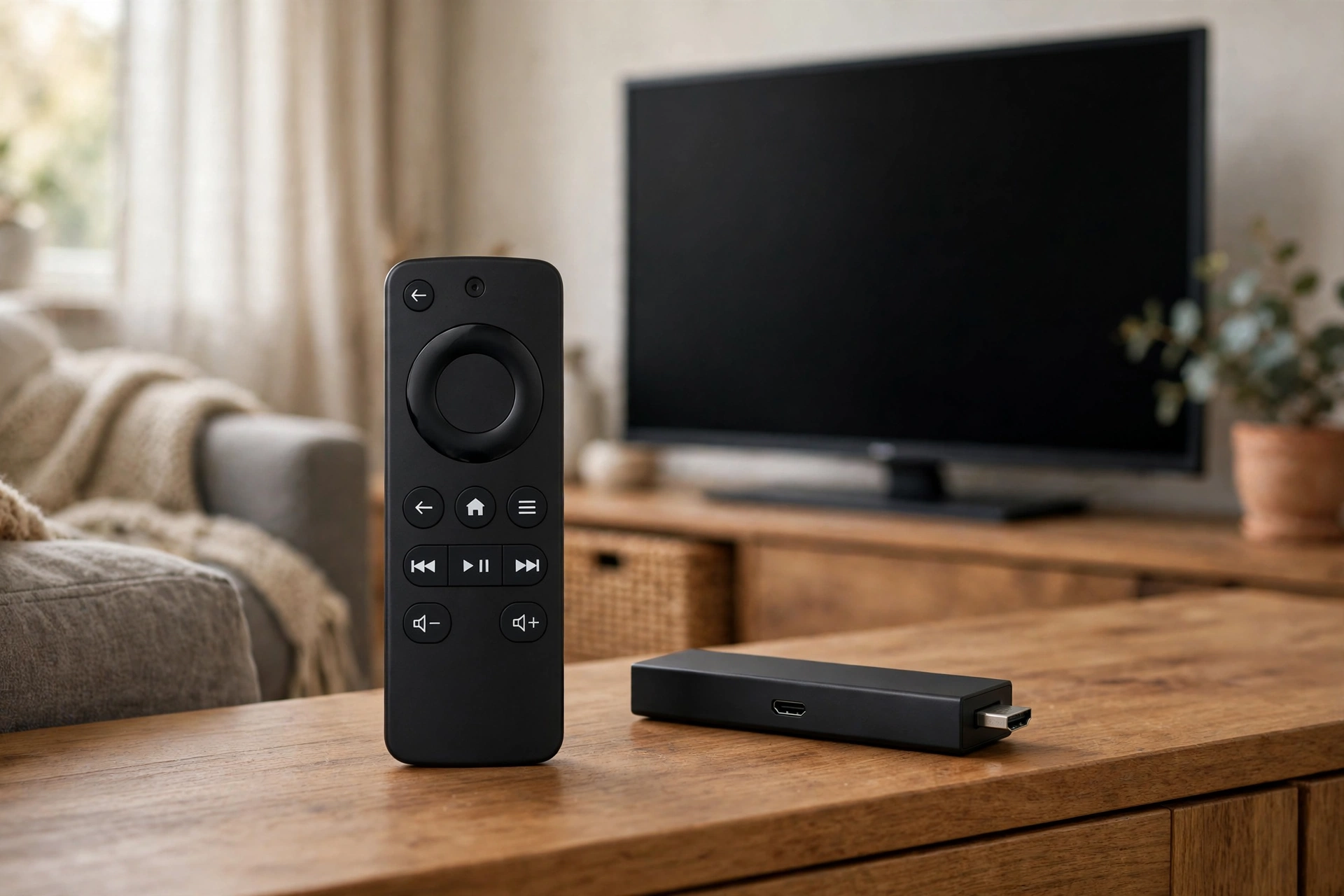
Think about devices too. The best legal setup is the one you will actually use on your television, so check that your chosen services have apps for your TV, streaming stick, or console. If you use a Firestick, our guide to setting up a Firestick for live sports in the UK walks through installing the official broadcaster apps and getting them working smoothly. Avoid sideloading unofficial streaming apps, which bypass the security checks of official app stores and are a common source of malware on streaming devices.
Budget honestly. Add up the monthly cost of every subscription you are considering, and compare it with how many matches you will actually watch. If a service costs a significant monthly fee and you only watch two matches a month on it, highlights plus a pay-per-view or single-match option, where available, may be better value. Many services also offer flexible monthly passes with no long contract, so you can subscribe for the months your competition is active and pause when the season ends.
Safety Checks Before You Stream
Use these checks every time you try a new sports streaming service. First, check who runs it: a real broadcaster or league platform will have a company name, a help centre, terms of use, and a privacy policy. Second, check how you found it: if you arrived through an official app store, a broadcaster’s website, or a league’s official site, that is a good sign; if you arrived through a pop-up, a forum link, or a site promising every match free, be cautious. Third, check what it asks for: a legitimate service will never ask you to disable antivirus software, install an unknown media player, or enter payment details on an unencrypted page.
Fourth, watch for the warning signs of unofficial sites: pages crowded with fake play buttons, pop-ups that open betting or adult sites, download prompts for video files, and streams that stutter or change quality constantly. Fifth, keep your devices protected with up-to-date software and a reputable security tool, and avoid entering personal details on any streaming site you have not verified. These habits cost nothing and protect you far more effectively than any unofficial site’s promise of free sport.
- Verify the service in an official app store or on the broadcaster’s own website before installing anything.
- Never disable security software or install unknown players to watch a stream.
- Check the current season’s rights holder on the official league website before subscribing.
- Use strong, unique passwords for streaming accounts and enable two-factor authentication where offered.
- If a site is full of pop-ups and fake download buttons, close it and use a licensed alternative instead.
What to Avoid, and Why It Matters
Unofficial mirror sites may look tempting because they promise everything free, but the hidden costs are real. The most common is malware: advertising networks on illegal streaming sites are a well-known distribution channel for malicious software, including programs that steal passwords or lock files for ransom. The second is phishing: fake login pages and survey scams harvest email addresses and payment details. The third is simple unreliability: streams that freeze at kick-off, disappear at half-time, or vanish entirely mid-season. The fourth is legal exposure, particularly for anyone who goes beyond watching and starts sharing or supplying streams.
There is also a sporting cost. Broadcast rights fees fund the clubs, leagues, and competitions you enjoy watching. When viewers drift to illegal streams, that revenue falls, and the effect is felt most by smaller clubs and lower leagues that depend on broadcast income far more than the biggest teams do. Choosing legal options is not only safer for you; it supports the sport itself. That is why this guide recommends legal services only, and why we do not link to unofficial mirrors even to warn about them: naming and linking them only sends traffic their way.
Key Takeaways
- Stream2watch alternatives for live sports streaming work best as a toolkit: free broadcasters plus one or two paid services for your favourite competitions.
- BBC iPlayer, ITVX, STV Player, Channel 4, and Freely cover a surprising amount of live sport free in the UK.
- Always check the current season’s rights holder on the official league website before subscribing to anything.
- Unofficial mirror sites carry malware, phishing, and legal risks that legal services do not.
- Set up official apps on your television or Firestick once, and you will never need to hunt for a working link on matchday again.
- Highlights and official catch-up services are a legitimate, low-cost way to follow leagues you cannot watch live every week.
Frequently Asked Questions
What are the best stream2watch alternatives for live sports streaming in November 2026?
The best legal alternatives are BBC iPlayer, ITVX, STV Player, Channel 4, and Freely for free coverage, plus Sky Sports, TNT Sports, DAZN, Premier Sports, and official league platforms for subscription competitions. The right combination depends on which sports you follow, so start with the free services and add one paid service for your main competition.
Are free sports streaming sites legal in the UK?
Free streaming is legal when it comes from a licensed broadcaster, such as the BBC, ITV, STV, or Channel 4, or from an official league or club platform. It is not legal when it comes from an unofficial site rebroadcasting content without permission. The test is simple: if the service is a recognised broadcaster or rights holder, it is licensed; if it is anonymous and constantly changing domains, it is not.
Why do unofficial streaming sites keep disappearing?
Unofficial sites are routinely taken down, blocked by internet providers following court orders, or abandoned by their operators, and their mirrors inherit the same problems. Because they operate without rights, they have no stable infrastructure, no customer support, and no incentive to protect your data, which is why a link that works one weekend is often dead the next.
Can I watch Premier League matches free in the UK legally?
Some Premier League matches and extensive highlights are available free through licensed broadcasters, and our guide to watching the Premier League free in the UK legally explains what is available each season. Full live coverage of every match sits with subscription rights holders, so check the current season’s rights position before subscribing, and use official highlights to follow the matches you cannot watch live.
Is it safe to use unofficial streaming sites with a VPN?
A VPN does not make an illegal stream legal, and it does not protect you from malware, phishing pages, or fake download buttons on unofficial sites. The safest approach is to use licensed services, keep your devices updated, and avoid any site that asks you to disable security software or install unknown players.
What is the cheapest legal way to watch live sport in the UK?
Start with the free broadcasters: BBC iPlayer, ITVX, STV Player, Channel 4, and Freely cost nothing beyond a TV licence where required, and official highlights extend your coverage further. If you add a subscription, choose one service for your single favourite competition and use a flexible monthly pass so you can pause it when the season ends.
Conclusion
Searching for stream2watch alternatives for live sports streaming is the right instinct, and the answer in November 2026 is better than many fans expect. The UK’s free broadcasters cover a wide range of live sport, official league platforms add depth for specific competitions, and subscription services fill the remaining gaps with reliable, high-quality streams. Build your setup around the sports you actually watch, verify rights on official league websites each season, and install the official apps on your television once, so matchday means pressing play rather than hunting for links. You will watch better sport, on better streams, with no malware warnings and no legal grey areas, and that is a trade worth making.
For more legal viewing guides, see our November alternatives roundup for other streaming sites at Streameast alternatives for November 2026, which follows the same legal-only approach for another popular search. If you found this guide useful, bookmark it and check back when the season changes, because rights move, schedules change, and the best legal setup is one you review once or twice a year.