๐Ÿ”ด LIVE
No live matches right now โ€” check today's schedule for upcoming kick-offs.

Every Score. Every Fixture. Free.

๐ŸŒ™

How to Watch Live Sports on PS5 Free in the UK in 2026

Your PlayStation 5 is far more than a games console. Sitting under your television, connected to your broadband and signed in to your PlayStation account, it is also one of the easiest ways to watch live sport on the biggest screen in the house. If you have ever wondered how to watch live sports on PS5 free in the UK, the answer is good news: several of the best free UK sports apps run natively on the PS5, and a few minutes of set-up is all it takes to turn your console into a free sports streaming box. This guide walks through every free option, the paid services that work on PS5, the step-by-step set-up, and the practical tips that keep your streams smooth on matchday.

The key point to understand is that the PS5 does not have a built-in web browser app in the way a phone or a laptop does, and it does not carry every streaming service. What it does have is a strong set of media apps in the PlayStation Store, covering the main UK free-to-air broadcasters and the major paid sports services. The trick is knowing which apps are available, which competitions each one covers, and how to work around the gaps, for example by casting from your phone or using a streaming stick for the services that do not offer a PS5 app. Below, we cover all of it, with honest pros and cons for each option and a clear set-up checklist you can follow tonight.

How to Watch Live Sports on PS5 Free in the UK: The Short Answer

The quickest route is to install the free UK broadcaster apps from the PlayStation Store: BBC iPlayer, ITVX, Channel 4, and STV Player in Scotland. Between them, these apps cover live FA Cup matches, England internationals, EFL highlights, women’s football, and Match of the Day, all free with a TV licence for live viewing. Add the free YouTube app for highlights, interviews, and live streams of smaller competitions, and you have a solid free sports setup without spending anything beyond your broadband and your TV licence.

For the competitions the free apps do not cover, the PS5 also runs the paid sports apps: NOW for Sky Sports, Discovery+ for TNT Sports, Amazon Prime Video, and DAZN. These need a subscription, but they all offer monthly rolling plans, and some offer day passes, so you can pay for a single big match rather than a whole month. If you already pay for one of these services on another device, signing in on the PS5 costs nothing extra, because the same account works across your phone, your laptop, and your console.

What You Need Before You Start

Before you install anything, it is worth checking the basics. Your PS5 needs a stable broadband connection, and for live sport in high definition a download speed of at least 10 Mbps is a good minimum, with 25 Mbps or more giving you a smoother 4K experience where the service supports it. A wired ethernet connection is more reliable than Wi-Fi for live sport, because it avoids the interference and drop-outs that can freeze a stream at the worst moment. If your console sits far from your router, a powerline adapter or a mesh Wi-Fi node near the television is a worthwhile investment.

You also need a PlayStation Network account, which is free to create, and enough free storage space for the apps you want to install. Most streaming apps are small, usually well under 200 MB each, so storage is rarely a problem unless your console is almost full of games. Finally, you need a TV licence to watch live television on any device in the UK, including a PS5. That is a legal requirement, not a quirk of the console, and it applies to live sport on BBC iPlayer, ITVX, and every other live television service. You can check the rules and buy a licence on the official TV Licensing site, and the free apps will remind you of the requirement when you first open them.

Free Sports Apps on PS5 in the UK

The free apps below are all available in the PlayStation Store for UK users, and all of them are legal, licensed services. Install them from the Media section of your PS5 home screen, or search for each one by name in the PlayStation Store. Sign in once with a free account where the app asks for one, and the app will remember you afterwards.

BBC iPlayer

BBC iPlayer is the strongest free sports app on the PS5. It carries live FA Cup matches, Match of the Day, Football Focus, and a wide range of highlights, plus live coverage of women’s football, selected international fixtures, and major events such as the Olympics and Wimbledon. The streams are high quality, there are no pop-ups, and the app is stable and easy to use with a controller. You need a TV licence to watch live television on iPlayer, including live sport. Our guide to how to watch the FA Cup free in the UK legally explains exactly which rounds the BBC covers and how to plan your viewing around them.

  • Pros: Completely free with a TV licence; excellent picture quality; live FA Cup matches and highlights; reliable PS5 app; no adverts on live sport.
  • Cons: No Premier League live matches; limited to the competitions the BBC holds rights for; requires a TV licence for live viewing.

ITVX

ITVX is ITV’s free streaming service, and its PS5 app is another essential free install. ITV shares the FA Cup rights with the BBC, and ITVX also shows live EFL highlights, selected England internationals, and women’s football. The free tier is supported by advertising, but the adverts are standard broadcast breaks rather than the aggressive pop-ups found on unofficial sites. You can create a free account at itv.com on your phone or computer first, then sign in on the PS5, which is quicker than typing an email address with a controller.

  • Pros: Free with registration; live FA Cup and England matches; good PS5 app; straightforward schedule of upcoming fixtures.
  • Cons: Advert breaks on the free tier; no Premier League live matches; some content is limited to the UK.

Channel 4 and STV Player

Channel 4’s streaming app is worth installing before every international break, because Channel 4 has shown England internationals and selected European fixtures, alongside football documentaries and highlights. Registration is free, and the app works well on the PS5. Viewers in Scotland should also install STV Player, which carries much of the same ITV football coverage, including FA Cup matches and Scotland internationals, and is free to use. Between Channel 4 and STV Player, you cover the international fixtures that the BBC and ITV do not show, which makes both apps useful second installs rather than daily drivers.

  • Pros: Both free with registration; England and Scotland internationals; good highlights and documentary content; reliable PS5 apps.
  • Cons: Live football coverage is irregular; advert breaks on the free tier; STV Player is mainly useful for viewers in Scotland.

YouTube

YouTube is often overlooked as a sports app on the PS5, but it is genuinely useful. Many leagues, clubs, and broadcasters publish free highlights, interviews, and behind-the-scenes content on YouTube, and some smaller competitions stream live matches free on the platform. The official YouTube app on the PS5 is fast, supports 4K where the video allows it, and lets you subscribe to club channels so their latest videos appear on your home screen. It will not replace a live broadcaster for Premier League or Champions League matches, but for highlights, classic matches, and lower-league coverage, it is an excellent free companion to the broadcaster apps above.

  • Pros: Completely free; huge library of highlights and club content; some live streams of smaller competitions; excellent 4K support on PS5.
  • Cons: No live Premier League or Champions League matches; live coverage depends on the rights holder publishing it free; adverts on most videos.

Paid Sports Apps That Work on PS5

The free apps cover a surprising amount of football, but the biggest weekly competitions need a paid subscription. The good news is that all of the major paid services have PS5 apps, and most of them offer flexible monthly plans or day passes, so you can pay only for the matches you actually want to watch.

NOW for Sky Sports

Sky Sports remains the home of the most Premier League matches shown live in the UK, and the flexible way to watch it is through NOW. A NOW Sports membership gives you access to all Sky Sports channels, including live Premier League, EFL, Scottish Premiership, and a huge range of other sports, streamed live over the internet with no satellite dish and no long contract. The NOW app runs on the PS5, and a day membership is ideal if you only want one big match, while a monthly membership is better value if you watch every week. Our guide to watching Sky Sports free in the UK legally explains the trial and offer routes worth checking first, and you should check the provider’s own site for the current price before subscribing.

  • Pros: The most Premier League live matches; EFL and Scottish football included; flexible day or monthly passes; no dish or long contract; works well on PS5.
  • Cons: Day passes add up if you watch often; monthly cost is higher than a single-club service; not every 3pm kick-off is shown live in the UK.

Discovery+ for TNT Sports

TNT Sports holds live rights to the UEFA Champions League, the UEFA Europa League, the UEFA Conference League, and a package of Premier League matches, along with FA Cup fixtures. The Discovery+ app on the PS5 gives you access to TNT Sports through the Premium plan, and it works on phones, tablets, laptops, and smart TVs as well as the console. Picture quality is strong, replays and highlights are included, and the same subscription covers a wide range of other sports. Our guide explains how to watch TNT Sports free in the UK legally, including the free trials and promotional offers that appear from time to time. For European nights specifically, our guide to watching the Champions League free in the UK legally shows how to make the most of the free coverage around the competition.

  • Pros: Exclusive Champions League coverage; Europa League and Conference League included; Premier League and FA Cup matches; excellent picture and reliable PS5 app.
  • Cons: Monthly subscription cost; Champions League matches are split across kick-off times; live sport needs the Premium tier of Discovery+.

Amazon Prime Video and DAZN

Amazon Prime Video shows a package of Premier League matches each season, usually across a December fixture round and a midweek round, as well as selected Champions League matches in the UK. If you already pay for Amazon Prime for delivery, the football coverage is included at no extra cost, and the Prime Video app on the PS5 is one of the best streaming apps on the console. DAZN is a global sports streaming service best known in the UK for boxing and women’s football, including the UEFA Women’s Champions League, and its PS5 app is clean, modern, and stable. Both services are worth checking before you buy a day pass elsewhere, because you may already be paying for one of them.

  • Pros: Prime Video included with an Amazon Prime membership; DAZN strong for women’s football and boxing; both have polished PS5 apps; reliable streams and replays.
  • Cons: Prime Video shows only a small package of matches each season; DAZN has limited men’s Premier League coverage; football rights vary by season.

Step-by-Step: How to Watch Live Sports on PS5 Free in the UK

Setting up takes about ten minutes, and doing it before matchday means you will not be typing passwords with a controller while kick-off approaches. Follow these steps in order.

Step 1: Connect and update your console

Make sure your PS5 is connected to your broadband, preferably by ethernet cable for the most stable live stream, and check for a system software update in Settings, then System, then System Software. An up-to-date console runs the media apps more reliably, and it avoids the situation where an app refuses to open until the system is updated. While you are there, check that your television is set to Game mode or its equivalent for the lowest input lag, although for watching sport rather than playing games, picture quality settings matter more than lag.

Step 2: Install the free apps

From the PS5 home screen, move to the Media tab at the top, then open the PlayStation Store or the media apps section and search for BBC iPlayer, ITVX, Channel 4, and YouTube. Install each one, then open it and sign in with your free account. Creating the account on your phone or computer first is much quicker than typing with a controller, because you can then sign in on the console with a code or a short password. Repeat the same step for any paid apps you already subscribe to, such as NOW, Discovery+, Prime Video, or DAZN, and sign in with your existing account.

Step 3: Test before matchday

Open each app the day before a match and play a short clip or a live channel to confirm the stream works, the sound is coming through your television or soundbar correctly, and your sign-in has been remembered. If an app asks you to sign in again, do it now rather than five minutes before kick-off. Check that the picture is sharp and the stream is not buffering, and if it is, move your console closer to your router, switch to a wired connection, or restart your router. A two-minute test the day before saves a great deal of frustration on matchday.

Step 4: Plan around the fixtures

Before the weekend, check which broadcaster is showing each match you want to watch. The BBC and ITV publish their FA Cup schedules in advance, and the Premier League publishes its televised fixtures weeks ahead. A five-minute check means you know exactly which app to open for each match, and you will not pay for a day pass for a game that is already free on BBC iPlayer or ITVX. Keep the free apps on your PS5 home screen, or pin them in the Media tab, so they are one click away when the match starts.

What the PS5 Cannot Do for Live Sport

It is worth being honest about the limits. The PS5 does not have a full web browser app, so you cannot simply open a website and watch a stream in a browser tab the way you would on a laptop. Some services that do not offer a PS5 app, such as certain smaller sports platforms, cannot be watched directly on the console at all. The PS5 also does not support every casting standard, so screen mirroring from a phone is not always straightforward, and the experience depends on your phone, your television, and your network.

The practical workaround is a streaming stick. If a service you want is not available as a PS5 app, a Fire TV Stick, a Chromecast, or a Roku plugged into a spare HDMI port on the same television will run almost every streaming app, including the ones the PS5 does not carry. Our guide to watching live sports on a smart TV free in the UK covers the same free services on smart TV platforms, and the advice there applies equally if you use a streaming stick alongside your console. The other workaround is to watch on your phone or tablet and cast to the television, which works well for services that support Chromecast, even if they have no PS5 app.

Practical Tips for the Best PS5 Sports Experience

A few small habits make a big difference to live sport on a console. First, close any game that is running in the background before you open a streaming app, because a suspended game can use network bandwidth and system resources, and it can cause the stream to stutter. Second, download any game updates before matchday, or pause them while you watch, because a large download running in the background will compete with your stream for bandwidth and can cause buffering at the worst moment.

Third, if your broadband is shared with other people in the house, ask them to pause large downloads or video calls during the match, or set up quality-of-service rules on your router so the PS5 gets priority. Fourth, use the PS5’s rest mode wisely: leaving the console in rest mode with the streaming app suspended can mean the app needs to refresh when you return, so fully close the app after a match and reopen it fresh next time. Finally, keep your controller charged, or use the PlayStation media remote if you have one, because navigating a streaming app with a controller is much easier when the battery is not about to die.

Sound is another area worth a minute of attention. Most streaming apps on the PS5 output stereo or surround sound automatically, but if the commentary sounds quiet or the crowd sounds too loud, check the audio settings in the app and on your television. If you use a soundbar or a home cinema system, make sure it is set to the right input and that the PS5 audio output is set to match. A small adjustment here can make the difference between a flat broadcast and a match that feels like being in the stadium.

Troubleshooting Common PS5 Streaming Problems

If you have followed this guide on how to watch live sports on PS5 free in the UK and a stream still buffers constantly, the cause is usually your connection rather than the app. Restart your router, move the console closer to it, or switch from Wi-Fi to an ethernet cable. If only one app is affected while others work fine, the problem is more likely to be the service itself, so check the broadcaster’s status page or social media for reports of an outage, and try the same stream on your phone to see whether it works there. Our guide to what to do when a streaming site is not working today includes checks that apply to legal apps as well, such as clearing the app cache and checking for an app update.

If an app will not open at all, check for an app update in the PlayStation Store, restart the console fully rather than putting it into rest mode, and if the problem continues, delete the app and reinstall it, then sign in again. If you see an error about your location, remember that the free UK apps are geo-restricted to the UK, and they will not work if your connection appears to be outside the country. A VPN does not fix this, and using one to access a service from outside its licensed region can breach the service’s terms, so check the provider’s own site for its rules on watching while travelling.

If the picture looks soft or low resolution, check the video quality setting inside the app, because some apps default to a lower quality on a first install or after an update. On a 4K television, make sure the PS5 video output is set to 4K in Settings, then Screen and Video, then Video Output. And if the sound is out of sync with the picture, close the app completely and reopen it, which usually fixes a sync problem that has crept in during a long stream.

Staying Safe and Legal on Your PS5

One of the advantages of watching sport on a PS5 is that the PlayStation Store only carries official, licensed apps, which removes much of the risk that comes with unofficial streaming sites. You should never install a modified app, a plug-in, or a player update offered by a streaming website, and you should never enter payment details on a page that arrived through a pop-up or a redirect. A genuine broadcaster will never ask you to allow browser notifications before showing a match, and it will never ask you to download a separate video player. If a site does either of those things, close it.

It is also worth remembering that unofficial streaming sites are not a legal way to watch football in the UK, even if you open them on a console. The streams they carry are shown without the permission of the rights holders, and UK copyright law allows rights holders to obtain court orders blocking such sites. Our guide to whether SoccerStreams is safe and legal in the UK explains the legal position and the safety risks in detail, and our guide to whether Buffstreams is safe and legal in the UK covers the same issues for another well-known unofficial name. The PS5 makes the legal route easy, so there is no reason to take the risk: install the official apps, sign in once, and watch the match properly.

Frequently Asked Questions

How can I watch live sports on PS5 free in the UK?

You can watch live sports on PS5 free in the UK by installing the free broadcaster apps from the PlayStation Store: BBC iPlayer, ITVX, Channel 4, and STV Player in Scotland, plus YouTube for highlights and smaller competitions. Between them, these apps cover live FA Cup matches, England internationals, EFL highlights, women’s football, and Match of the Day, all free with a TV licence for live viewing. Add a paid app such as NOW or Discovery+ only for the competitions the free apps do not cover.

Is BBC iPlayer available on PS5?

Yes. BBC iPlayer has an official app on the PS5, available free from the PlayStation Store. It carries live FA Cup matches, Match of the Day, Football Focus, highlights, women’s football, and selected international fixtures. You need a TV licence to watch live television on iPlayer, including live sport, and you need to be in the UK.

Can I watch Sky Sports on PS5?

Yes, through the NOW app, which runs on the PS5. A NOW Sports membership gives you access to all Sky Sports channels, including live Premier League, EFL, and Scottish Premiership matches, with flexible day or monthly passes and no satellite dish or long contract. Sign in with your existing NOW account, or create one on the NOW website first, which is quicker than typing with a controller.

Can I watch TNT Sports on PS5?

Yes, through the Discovery+ app on the PS5. The Discovery+ Premium plan includes TNT Sports, which holds live rights to the Champions League, the Europa League, the Conference League, and a package of Premier League matches. Sign in with your Discovery+ account on the console, and the same subscription works on your phone, tablet, and laptop as well.

Does the PS5 have a web browser for streaming?

The PS5 does not have a full web browser app for general streaming, so you cannot simply open a website and watch a stream in a browser tab the way you would on a laptop. The way to watch sport on the PS5 is through the official apps in the PlayStation Store. If a service you want has no PS5 app, use a streaming stick in a spare HDMI port, or cast from your phone to the television.

Do I need a TV licence to watch live sport on PS5?

Yes. You need a TV licence to watch live television on any device in the UK, including a PS5. That applies to live sport on BBC iPlayer, ITVX, and every other live television service. Watching on-demand highlights and catch-up programmes that are not live is treated differently, but for live matches, a licence is required. Check the official TV Licensing site for the current rules.

Why is my PS5 stream buffering?

Buffering on the PS5 is usually caused by your broadband connection rather than the app. Try a wired ethernet connection instead of Wi-Fi, restart your router, pause any game downloads or updates running in the background, and close any game that is suspended. If only one app is affected, check the broadcaster’s status page for an outage, and try the same stream on your phone to see whether it works there.

Can I watch the Champions League on PS5 free in the UK?

There is no free way to watch every Champions League match live in the UK, because the live rights are held by TNT Sports. However, you can watch free highlights and selected coverage on BBC iPlayer and YouTube, and you can use a free trial or a short-term pass for TNT Sports through Discovery+ when one is available. Our guide to watching the Champions League free in the UK legally explains the free options around European nights in more detail.

Key Takeaways

  • Learning how to watch live sports on PS5 free in the UK starts with the free broadcaster apps: BBC iPlayer, ITVX, Channel 4, STV Player, and YouTube.
  • Those free apps cover the FA Cup, England internationals, EFL highlights, women’s football, and Match of the Day, all with a TV licence for live viewing.
  • For the Premier League, use NOW for Sky Sports; for the Champions League, use Discovery+ for TNT Sports; both have official PS5 apps.
  • Set up and test your apps before matchday, use a wired connection where possible, and pause game downloads while you watch.
  • The PS5 has no full web browser for streaming, so use a streaming stick or cast from your phone for services with no PS5 app.
  • Only install official apps from the PlayStation Store, and never install a player or extension offered by an unofficial streaming site.
  • Check the fixtures in advance so you never pay for a day pass for a match that is already free on BBC iPlayer or ITVX.

Conclusion

Your PS5 is already one of the best free sports streaming boxes in your house, and it only takes a few minutes to set it up properly. Install BBC iPlayer, ITVX, Channel 4, and YouTube, sign in once, and you have free live football, internationals, highlights, and women’s football on the biggest screen you own. Add NOW or Discovery+ only for the competitions the free apps do not cover, and use a day pass when you only want a single big match. Keep the console updated, use a wired connection where you can, and test everything before kick-off.

The legal route is also the easy route on a console, because the PlayStation Store only carries official apps, and those apps are stable, high quality, and supported. Bookmark this page, check the fixtures on the official broadcasters before the weekend, and enjoy the football without the worry. If you want to go further, our guide to watching the Premier League free in the UK legally shows how to make the most of the free coverage around the biggest league in the world, and our guide to watching live sports on a smart TV free in the UK covers the same services if you ever want to watch away from the console. The match is waiting, and your PS5 is ready.

Updated November 2026.
How to Set Up Firestick for Live Sports in the UK in 2026

Last updated: November 1, 2026

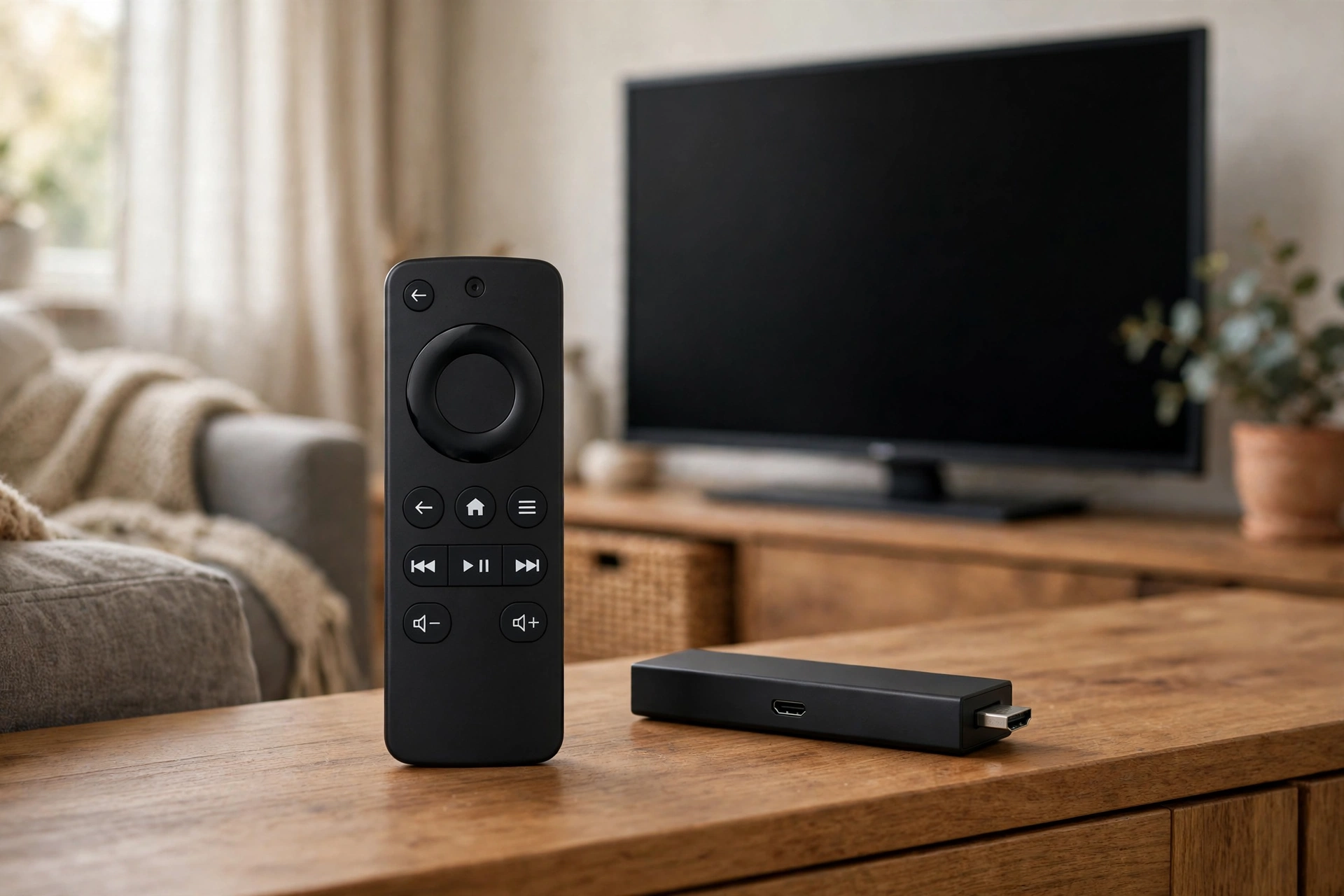
Learning how to set up Firestick for live sports is the fastest way to turn an ordinary television into a proper sports hub without buying a new TV or paying for an expensive cable package. The Amazon Fire TV Stick is cheap, plugs into any HDMI port, and gives you instant access to the UK’s best legal sports apps โ€” BBC iPlayer, ITVX, the Sky Sports app, TNT Sports, and a growing range of free sports channels. If you set it up properly, with the right apps installed, a stable internet connection, and a few smart settings tweaked, you can watch live football, cricket, Formula 1, darts, snooker, golf and athletics from your sofa in high definition, all through official and legal sources.

This guide walks you through the whole process step by step. We will cover unboxing and connecting the stick, signing in with your Amazon account, connecting to Wi-Fi, installing the essential sports apps, signing into each one, and fixing the common problems that ruin live sport โ€” buffering, apps crashing, and poor picture quality. We will also show you how to organise your home screen so matchday takes two clicks, how to use Alexa voice search to find a game quickly, and which free apps are genuinely worth your time. Everything here stays firmly in the legal lane: official broadcaster apps and free-to-air services only, never unauthorised streams. For a wider overview, see our guide to free-to-air sports apps in the UK.

How to Set Up Firestick for Live Sports: What You Need First

Before you start learning how to set up Firestick for live sports, gather everything you need so the process takes twenty minutes instead of an evening. You need a television with a spare HDMI port, a stable broadband connection (at least 15 Mbps is recommended for smooth HD sport, and 25 Mbps or more for 4K), your Wi-Fi password, and an Amazon account. If you buy a Fire TV Stick 4K or 4K Max, you also get a better processor and Wi-Fi 6 support, which genuinely helps with live sport because live streams are far less forgiving of weak connections than a Netflix film you can buffer ahead.

You will also want the login details for any sports services you already pay for, such as Sky, TNT Sports, or Discovery+, and a TV Licence if you plan to watch BBC iPlayer live or on demand, which is a legal requirement in the UK. The Firestick itself comes with the stick, a voice remote, batteries, a power adaptor and an HDMI extender. Use the power adaptor plugged into the wall rather than a USB port on your TV โ€” the TV’s USB port often does not supply enough power, and an underpowered stick is one of the most common causes of random restarts during a match.

One more thing worth deciding before you begin: where the stick will live. The HDMI extender in the box is not just packaging filler. If your TV is wall-mounted or the HDMI ports sit in a tight recess, the extender improves Wi-Fi reception by moving the stick away from the metal back of the television. For live sport, where a dropped connection means missing a goal, that small detail matters.

Step-by-Step: Connecting Your Firestick to the TV

Fire TV Stick and remote next to a television

Setting up the hardware takes about five minutes. Plug the Fire TV Stick into a spare HDMI port on your television, noting which port number you used, and connect the power adaptor to the stick and to a wall socket. Switch your TV to the correct HDMI input, and the Fire TV logo should appear within a few seconds. If nothing appears, check that the TV input matches the port you used, and try the HDMI extender if the stick feels loose or sits flush against the TV.

When the welcome screen appears, hold the remote close to the stick and follow the on-screen pairing prompt. The remote usually pairs automatically, but if it does not, press and hold the Home button for ten seconds. Next, select your language and your Wi-Fi network, then enter your Wi-Fi password carefully โ€” a single wrong character here causes the most frustrating kind of setup failure, where everything looks right but nothing loads. Once connected, the stick will check for software updates. Let it finish: updates fix bugs and improve app performance, and skipping them can leave you with an older version of a sports app that crashes mid-match.

Finally, sign in with your Amazon account. This step is required even if you never buy anything from Amazon, because the Appstore and app downloads are tied to the account. If you do not have one, you can create a free account during setup. Once signed in, the home screen loads, and you are ready for the part that matters most: installing the sports apps.

How to Set Up Firestick for Live Sports Apps: The Essential Installs

Person browsing streaming apps on a smart TV home screen with a remote

Knowing how to set up Firestick for live sports properly means installing the right apps before matchday, not scrambling for them at kick-off. Start with the free-to-air essentials. BBC iPlayer is the single most important free sports app in the UK: it carries live BBC sport, Match of the Day, and major events such as Wimbledon, the Olympics, and big athletics meetings. ITVX is next โ€” it carries live ITV sport including selected football, rugby, and horse racing. Both apps are free to download and free to use with a TV Licence, and both are available directly from the Amazon Appstore on your Firestick.

To install an app, go to Find, then Search, type the app name, select it, and choose Download. Open it once it installs and sign in or activate it following the on-screen instructions. BBC iPlayer asks you to sign in with a free BBC account, which also lets you pick up where you left off across devices. ITVX works similarly with a free ITVX account. Activation usually involves entering a code shown on your TV into a website on your phone, which takes under a minute per app.

Next, add the apps for any paid services you subscribe to. The Sky Sports app, TNT Sports app, and Discovery+ app are all available on Fire TV, and signing in with your existing subscription unlocks live channels and on-demand highlights. If you follow a particular league, also check for its official app โ€” the Premier League’s official app offers free clips, scores and news, while the BBC Sport website remains the best free companion for live text and results. Fans who want the full free-to-air picture should also read our guide on how to watch Premier League free in the UK legally, which explains exactly what is free and what needs a subscription.

Free sports apps worth installing on day one

  • BBC iPlayer โ€” live BBC sport, Match of the Day, athletics, tennis, and major events, all free with a TV Licence.
  • ITVX โ€” live ITV sport, including football, rugby, and racing, plus catch-up highlights.
  • Channel 4 app โ€” live Formula 1 highlights, cricket highlights, and selected live sport.
  • STV Player โ€” the Scottish free-to-air option, useful for viewers in Scotland and for some live sport carried by STV.
  • YouTube โ€” official club channels, league highlights, and free sports content from rights holders themselves.
  • Freeview Play / Freely apps โ€” where supported, these bring free-to-air live channels together in one place.

Do not fill your stick with unofficial “free sports” apps from outside the Amazon Appstore. Sideloaded apps that promise every channel for free are almost always unauthorised, frequently carry malware, and regularly disappear or stop working mid-season. The official apps above cover an enormous amount of genuinely free sport, and paid apps cover the rest. If a sport you love is not covered, our guides to watching Serie A free in the UK show the legal routes for top-flight football too.

Organising Your Firestick Home Screen for Matchday

Family watching a live football match on a large television

Once the apps are installed, spend five minutes organising the home screen, because on matchday you want the game in two clicks, not a hunt through menus. On Fire TV, press and hold the Home button, or go to the apps row, highlight an app, press the menu button on the remote, and choose “Move to front” to pin your most-used sports apps to the front of the row. Put BBC iPlayer, ITVX, and your main paid sports app first, in that order, so the apps you reach for every weekend are always visible.

Turn on notifications selectively. The BBC Sport app and broadcaster apps can send goal alerts and match reminders, which are genuinely useful โ€” but allow notifications only from the apps you trust, or your TV will buzz about programmes you never watch. Also set up Alexa voice search properly: hold the microphone button and say “open BBC iPlayer” or “watch Match of the Day” and the stick jumps straight there. Voice search is a small thing that makes a big difference when the match is about to start and the remote is down the side of the sofa.

Consider creating a simple matchday routine. Before kick-off, open the app you need, check that the live stream loads cleanly, and confirm the sound is right. Live streams take a few seconds longer to start than on-demand video, so opening the app five minutes early avoids the classic panic of a black screen at kick-off. If you watch on a tablet as a second screen for stats and live text, our guide on the best Android tablets under ยฃ200 in the UK is a useful companion read.

Wi-Fi, Picture Quality and Buffering Fixes for Live Sport

Wi-Fi router with cables next to a television

Nothing ruins live sport faster than buffering, and live streams are uniquely vulnerable because they cannot pre-load minutes ahead the way a film can. The single best upgrade for Firestick sport is a strong, stable Wi-Fi signal. If your router sits two rooms away from the TV, consider moving it closer, using a Wi-Fi extender, or โ€” best of all โ€” using an Ethernet adapter for Fire TV, which plugs into the stick’s micro-USB port and gives you a wired connection. A wired connection eliminates almost all Wi-Fi-related buffering, and for a device that costs under ยฃ20, it is the best money you will spend on your sports setup.

Inside the Firestick settings, go to Settings, then Display and Sounds, and check your video resolution. On a 4K TV with a 4K stick, set it to Auto up to 4K Ultra HD so the stick negotiates the best quality your connection supports. If you suffer regular buffering, drop the resolution to 1080p manually โ€” a stable HD stream beats a stuttering 4K one every time. Also turn off any “match frame rate” or motion-smoothing setting on the TV itself if the picture looks unnaturally smooth or juddery; sports look best with the TV’s standard motion handling.

Other fixes that genuinely help: restart the Firestick once a week (Settings, then My Fire TV, then Restart) to clear cached memory; force-stop and clear the cache of a misbehaving sports app (Settings, then Applications, then Manage Installed Applications); and keep at least 1 GB of free storage on the stick, because a full stick slows everything down. If one app buffers while others work fine, the problem is usually that app’s servers or your route to them, not your broadband โ€” try again in a few minutes before changing your whole setup.

Quick buffering checklist for matchday

  • Restart the Firestick before a big match if it has been running for days.
  • Close other apps running in the background using the app switcher.
  • Pause downloads, cloud backups, and large updates on other devices during the match.
  • Move the router closer or use an Ethernet adapter for a wired connection.
  • Drop from 4K to 1080p if buffering persists โ€” stability beats resolution for live sport.
  • Check the broadcaster’s service status page before assuming your connection is at fault.

How to Set Up Firestick for Live Sports on Multiple TVs

Many households want sport on more than one television โ€” the living room for the main match, a bedroom or kitchen TV for a second game. The good news is that a Firestick is portable: unplug it, move it to another TV, and it works immediately with all your apps and logins intact. The bad news is that most paid sports apps limit simultaneous streams, so two TVs watching the same paid service at once may hit a stream limit. Check your subscription’s terms before assuming both TVs can show the same live channel.

For free apps such as BBC iPlayer and ITVX, simultaneous viewing is not an issue โ€” you can watch on as many devices as you like, provided each device is signed in. A practical setup is one Firestick per TV you regularly use for sport, with the same apps installed on each. Amazon’s “sync” of installed apps is not automatic, so install the apps once per stick, but your logins and preferences travel with your Amazon account where the app supports it.

If you also watch sport on the go, the same broadcaster apps work on your phone and tablet, and your Firestick setup knowledge transfers directly. Pairing a second screen for live stats while the TV shows the match is a popular matchday habit, and the official apps are designed for exactly that. For keeping your phone running smoothly through a long matchday, see our guide on how to stop Chrome draining battery on Android.

Staying Legal and Safe With Firestick Sports Apps

The legal line for Firestick sport is simple and worth repeating: use official broadcaster apps and free-to-air services, and avoid any app or service that offers paid channels for free. Unauthorised IPTV services and sideloaded streaming apps are not a bargain โ€” they are unreliable, they expose your home network to malware, and enforcement action in the UK has increasingly targeted both sellers and users of illicit IPTV. The free legal route is genuinely rich: BBC and ITV sport, official highlights on YouTube, live radio through BBC Sounds and talkSPORT, and official club content cover most of what fans actually want.

There is also a safety angle. Only download apps from the Amazon Appstore, keep your Firestick software updated, and never enter payment details into an app you do not recognise. If an app asks you to disable security settings or install a “helper” file from a website, delete it. Official apps never ask for that. For the wider legal picture, our guide on whether CrackStreams is safe and legal in the UK explains the risks of unofficial sites in plain English.

Frequently Asked Questions

Do I need an Amazon Prime subscription to use a Firestick for sport?

No. A free Amazon account is enough to set up the stick and download apps such as BBC iPlayer and ITVX. Prime adds Amazon’s own video content, but it is not required for free-to-air or third-party sports apps.

Can I watch live Premier League matches free on Firestick?

Live Premier League matches themselves are on pay-TV in the UK, but BBC iPlayer on Firestick gives you Match of the Day highlights free, and BBC Sounds gives you live radio commentary. See our Premier League free guide for the full picture.

Why does my Firestick buffer during live sport but not films?

Live streams cannot buffer far ahead like films can, so they are more sensitive to Wi-Fi drops and congestion. Use a wired Ethernet adapter, move the router closer, restart the stick, and drop to 1080p if buffering persists.

Which Firestick is best for live sports?

The Fire TV Stick 4K Max is the best choice for sport thanks to its faster processor and Wi-Fi 6 support, which handle live streams more smoothly. The standard 4K stick is fine for most viewers, while the basic HD stick is acceptable only on a strong Wi-Fi connection.

Can I use a Firestick on any TV?

Yes, any TV with a spare HDMI port works. Older TVs without HDMI need an adapter, but virtually every flat-screen TV sold in the last fifteen years has HDMI.

Is it legal to install third-party sports apps on a Firestick?

Installing apps from the Amazon Appstore is legal. Sideloading apps that provide unauthorised access to paid channels is not a safe or legal route, and such apps are unreliable and frequently carry malware. Stick to official broadcaster apps.

How do I update the apps on my Firestick?

Apps update automatically by default. You can check manually under Settings, then Applications, then Appstore, and turn on automatic updates. Updating before a big match avoids old-version crashes.

Key Takeaways

  • Use the wall power adaptor, not the TV’s USB port, for a stable Firestick.
  • Install BBC iPlayer, ITVX, and your paid sports apps before matchday, not at kick-off.
  • Activate each app once with the code shown on your TV, using your phone.
  • Pin your sports apps to the front of the home screen for two-click matchday access.
  • For buffering, a wired Ethernet adapter is the single best upgrade.
  • Drop from 4K to 1080p if live streams stutter โ€” stability beats resolution.
  • Stay legal: official broadcaster apps and free-to-air services only, never unauthorised streams.

Conclusion

Once you know how to set up Firestick for live sports, the whole process becomes a twenty-minute job you only do once, followed by years of easy matchdays. Plug the stick in with proper power, connect it to solid Wi-Fi, install BBC iPlayer, ITVX and your paid sports apps, pin them to the front of the home screen, and sort the connection so buffering never spoils a goal. The Firestick is one of the best-value sports devices you can buy in the UK, precisely because it puts the country’s excellent free-to-air sport and your paid subscriptions in one place, on any television, for the price of a few pints. Set it up properly this weekend, test it with a live programme before the big match, and you will never again be the person frantically searching for an app at kick-off.

Best Free Live Score Apps and Sites for Sports Fans 2026

Whether you are tracking your football club on a Saturday afternoon, following a Test match ball by ball, or checking NBA scores before your morning coffee, live score apps and websites are the backbone of modern sports fandom. The best ones deliver scores in seconds, rich statistics, line-ups, and smart notifications, all for free. But with dozens of options crowding the app stores, choosing the right one for the sports you follow can be surprisingly tricky.

This guide rounds up the best free live score apps and websites for sports fans in 2026. It explains what separates a great score app from a mediocre one, walks through the top free options for football, cricket, basketball, tennis, and multi-sport fans, and shows you how to configure alerts and widgets so you never miss a goal, wicket, or buzzer-beater. Every option here is free to use. Some offer optional premium tiers, but the free versions covered below are more than enough for most fans.

What Makes a Great Live Score App

Not all score apps are equal. Before downloading anything, it helps to know what to look for, because the differences between a top-tier app and a forgettable one show up exactly when it matters, during a frantic final ten minutes.

Speed and reliability of updates

The single most important quality is speed. A great live score app updates within seconds of the action. A goal appears before the television replay finishes, a wicket lands while the bowler is still celebrating. Slower apps can lag by a minute or more, which ruins the experience when you are following along with friends. Reliability matters just as much: the app should stay stable during the busiest moments, like a Champions League night when millions of users are refreshing at once. The established, well-known score platforms invest heavily in their data feeds and infrastructure, which is why they consistently outperform obscure alternatives when traffic spikes.

Depth of statistics and coverage

Scores alone are only the start. The best apps layer on line-ups, formations, possession, shots, player ratings, head-to-head records, and league tables, turning a bare scoreline into a full picture of the match. For cricket, that means ball-by-ball commentary, wagon wheels, partnership breakdowns, and bowling figures. For basketball, it means quarter-by-quarter scoring, shooting percentages, and box scores. Breadth of coverage counts too: a great multi-sport app follows not just the famous leagues but the lower divisions, youth tournaments, and women’s competitions that matter to dedicated fans.

Customizable alerts and notifications

Push notifications are where a score app earns its place on your home screen. The best apps let you fine-tune exactly what you are told about: kickoff, goals, red cards, half-time and full-time for football; wickets, milestones, and innings breaks for cricket; quarter scores and final results for basketball. Granular control prevents notification fatigue. You want to hear about your team’s goals, not every goal in every league. Look for apps that let you follow specific teams and competitions, set quiet hours, and choose which event types trigger an alert. A well-configured app feels like a personal assistant; a badly configured one feels like spam.

Best Free Live Score Apps for Football Fans

Football is the most competitive category in the score-app world, and fans are the winners. Several excellent free options cover virtually every league on the planet.

Top all-round football score apps

The leading free football score apps share a familiar formula: lightning-fast goal alerts, deep league coverage from the Premier League to obscure lower divisions, live tables that update as goals go in, and detailed match centres with line-ups, commentary, and statistics. The best of them cover hundreds of competitions worldwide, including women’s leagues and youth tournaments, and their match pages include expected-goals data, heat maps, and player ratings for major matches. All are free with advertising, and most offer an optional paid tier that removes ads and adds a few extras, but the free version delivers the complete core experience. Download one as your primary app and learn its alert settings thoroughly rather than juggling three mediocre ones.

Official league and club apps

Alongside the independent score apps, the major leagues and many big clubs run their own official apps with free live scores, team news, and video highlights. League apps are particularly strong for fantasy football players, because they integrate official fantasy games, predicted line-ups, and bonus-point tracking. Club apps add behind-the-scenes content, ticket news, and club media, useful if you support one team above all others. The trade-off is narrower coverage: a league app will not help you follow a cup tie in another country. Use an official app as a companion to your main multi-league score app, not a replacement.

Websites for desktop football scores

On a computer, the classic sports news websites remain superb free score services. The major broadcasters’ and publishers’ sports sections run live score pages with text commentary, tables, and fixtures that need no app installation and work on any device with a browser. These sites shine on busy matchdays. Their live-scores hub pages let you scan every ongoing game at a glance, which is perfect for following a full Saturday of fixtures. Bookmark your favourite and keep it open in a tab during matchdays; it is the lowest-friction way to follow scores at a desk.

Best Free Live Score Apps for Cricket Fans

Cricket’s rhythms, from long Tests to brisk T20s, demand a different kind of score service, one built around ball-by-ball detail.

Ball-by-ball apps and websites

The best-known free cricket score platforms have been serving fans for decades, and their ball-by-ball coverage remains the gold standard. Every delivery is logged with the batsman, bowler, runs, and a short text description, accompanied by over-by-over summaries, Manhattan charts, and partnership details. During major tournaments like the World Cup or the Ashes, these platforms add live blogs, expert analysis, and video highlights. The apps are free and cover international cricket, domestic leagues like the IPL and the Big Bash, and increasingly women’s internationals and franchise leagues worldwide. For a Test match unfolding over five days, a good cricket app with smart notifications for wickets and milestones is indispensable.

Cricket-specific features to look for

Beyond the basic scorecard, the features that separate great cricket apps include wagon wheels showing where each batsman scores, pitch maps for bowlers, win-probability graphs that swing with every over in limited-overs games, and detailed player profiles with career statistics. Tournament hubs that group fixtures, points tables, and net run rates in one place are invaluable during World Cups and franchise leagues. If you play fantasy cricket, look for apps that integrate fantasy points or at least make player form easy to check. As with football, the free versions of the leading cricket apps are fully functional, and premium tiers typically just remove ads.

Best Free Score Apps for NBA, Tennis, and Multi-Sport Fans

Football and cricket dominate the conversation, but the best score apps serve every sport, and multi-sport fans need one hub, not five.

Basketball and the NBA

The NBA’s official app is free and offers live scores, box scores, standings, and highlights, making it the natural first choice for basketball fans. Independent multi-sport score apps match it for speed and add coverage of European leagues, college basketball, and international competitions in one place. Basketball-specific features worth having include quarter-by-quarter breakdowns, live win probability, shot charts, and player efficiency ratings. Set alerts for game start, quarter scores, and final results, and if you follow a single team closely, enable scoring-run notifications so you hear about every comeback as it happens.

Tennis and individual sports

Tennis fans need point-by-point or at least game-by-game updates, and the best score apps deliver them alongside serve statistics, break-point conversion, and head-to-head records. During Grand Slams, official tournament apps provide free live scores, draws, schedules, and news, while the multi-sport apps let you follow every court at once, essential when five matches you care about are playing simultaneously. Similar logic applies to golf, Formula 1, and other individual sports: the official apps give depth for one sport, while a strong multi-sport app gives breadth across all of them.

One app to follow everything

If you follow several sports, the multi-sport score apps are the answer. The leading free options cover dozens of sports, football, cricket, basketball, tennis, rugby, ice hockey, baseball, MMA, and more, with consistent alert controls and a single favourites list spanning all of them. This is the most efficient setup for the average sports fan: one app, one notification system, every sport. Keep a sport-specific official app only for the sport you follow most deeply, and let the multi-sport app handle the rest.

Setting Up Alerts, Widgets, and Quiet Hours

Downloading the app is the easy part. Configuring it well is what turns it into something you rely on every day.

Building your favourites list

Start by following your teams and competitions, not by enabling every alert the app offers. Open the favourites or following section and add your club, your national team, and the two or three competitions you care about most. Most good apps then show a personalized home screen with only your matches, which is far more useful than a firehose of every game on earth. Revisit this list at the start of each season: teams get promoted and relegated, your interest in a new league grows, and a quick tidy keeps the app relevant.

Fine-tuning notifications

Work through the notification settings match by match type. For football, most fans want goals, red cards, and full-time for their own team, but only final results for the rest of the league. For cricket, wickets and milestones for your team, innings breaks for tournaments you follow casually. Turn on quiet hours overnight so a late-night baseball game in another time zone does not wake you, and use the app’s match-reminder feature for big fixtures a day in advance. The goal is a phone that buzzes only when something genuinely matters to you.

Home-screen widgets and wearables

Most leading score apps offer home-screen widgets that show your followed teams’ live scores without opening the app, and many sync with smartwatches for glanceable updates. A widget showing today’s fixtures for your teams is one of the highest-value small upgrades in sports fandom: one glance tells you what is on tonight. If you wear a smartwatch, enable the app’s watch complication or notifications so scores arrive on your wrist during meetings, commutes, or workouts when your phone is in your pocket.

Staying Safe: Avoiding Fake Score Apps

The popularity of score apps has attracted imitators, and a careless download can cost you more than a missed goal.

Spotting copycat and malicious apps

Stick to well-known apps with millions of downloads and long histories in the app stores. Be suspicious of apps with generic names, few reviews, or review text that looks copied. Never grant a score app permissions it does not need: it needs notifications and perhaps location for local content, but it does not need access to your contacts, messages, or device administrator rights. If an app demands excessive permissions or pushes aggressive full-screen ads that mimic system warnings, uninstall it immediately. The legitimate leading apps are all free, so any app asking for payment upfront while claiming to be the official score service of a league deserves extra scrutiny.

Privacy basics for sports apps

Free apps earn money through advertising, which means some data collection is normal, but you can limit it. Decline optional tracking prompts where your phone offers the choice, review the app’s privacy settings for ad-personalization toggles, and avoid signing in with social accounts when an email sign-in works just as well. Keep the app updated: updates patch security flaws and usually improve the data feed’s speed and stability.

Frequently Asked Questions

What is the best free live score app overall?

There is no single winner for everyone, but the leading multi-sport score apps are the best starting point for most fans: they are free, update within seconds, cover dozens of sports, and offer deep alert customization. Football-first fans may prefer a dedicated football app, and cricket fans a dedicated cricket platform, but a strong multi-sport app covers all of them competently.

Are live score apps really free?

Yes. The major score apps are free to download and use, supported by advertising. Most offer an optional paid tier that removes ads and adds minor extras, but the core scores, statistics, and alerts are fully available without paying.

How fast are score app updates compared to TV?

The best apps are often faster than television broadcasts, because TV signals pass through encoding and transmission delays while data feeds travel directly. It is common for a goal alert to arrive on your phone seconds before you see it on a stream, which is why many fans mute app notifications when watching live.

Can I get scores without installing an app?

Absolutely. Sports news websites run excellent free live-score pages that work in any mobile or desktop browser with no installation. They are ideal for occasional use, work computers, or devices where you cannot install apps.

Which app is best for cricket ball-by-ball coverage?

The long-established free cricket platforms remain the standard for ball-by-ball text commentary, with every delivery logged plus wagon wheels, Manhattan charts, and partnership stats. Their apps are free and cover internationals, franchise leagues, and domestic cricket worldwide.

How do I stop getting too many notifications?

Open the app’s notification settings and be selective: enable detailed alerts only for your favourite teams, final scores only for everything else, and turn on quiet hours overnight. Unfollow competitions you no longer care about at the start of each season.

Do score apps work without the internet?

No, live scores need a data connection, but most apps cache the last-known scores, tables, and fixtures for offline viewing. If you are heading somewhere with poor signal, open the app beforehand so the latest data is cached.

Are there good score apps for women’s sports?

Yes, and coverage keeps improving. The leading multi-sport apps now carry extensive women’s football, cricket, basketball, and tennis coverage with the same alert and statistics features as the men’s game. Official league apps for women’s competitions are also worth installing.

Key Takeaways

  • Start with a leading multi-sport app: one free app can cover football, cricket, basketball, tennis, and more with fast updates.
  • Add sport-specific apps for depth: dedicated football, cricket, and league apps give richer stats for the sport you follow most.
  • Speed and alerts matter most: judge an app by how fast it updates and how finely you can control notifications.
  • Configure, do not just install: favourites, quiet hours, and selective alerts turn a good app into a great one.
  • Use widgets and web scores too: home-screen widgets and browser-based score pages cover every situation.
  • Download safely: stick to well-known apps with millions of downloads and minimal permission requests.

Conclusion

In 2026, no sports fan ever needs to wonder about a score. The best free live score apps deliver results in seconds, surround them with statistics and context, and tap you on the shoulder only when something you care about happens. Pick one strong multi-sport app as your hub, add a dedicated app for your number-one sport, configure your alerts thoughtfully, and put a widget on your home screen. That simple setup, costing nothing, keeps you connected to every goal, wicket, basket, and break point that matters to you, wherever you are. The games never stop, and now neither does your connection to them.